
Technical SEO Audit for WordPress Sites

ATTENTION: Want to Learn Affiliate Marketing from Successful Affiliates?
Conducting a Comprehensive Technical SEO Audit for WordPress Sites
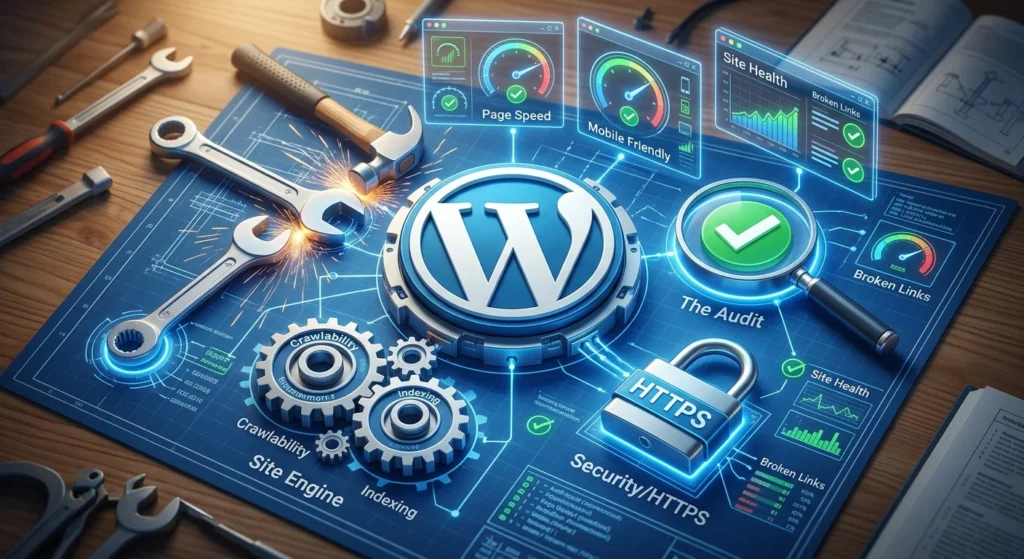
Are you ready to boost your WordPress site’s performance and visibility? A Technical SEO Audit for WordPress Sites is your roadmap to optimizing your website. Whether you’re a seasoned developer or a beginner, conducting a thorough audit can reveal hidden issues and unlock your site’s potential.
First things first, what exactly is a Technical SEO Audit for WordPress Sites? It’s an evaluation of your website’s performance, architecture, and technical elements that influence its ranking on search engines. Here’s a structured way to conduct your audit and ensure your WordPress site is on point.
Site Speed Analysis
Site speed is crucial for user experience and SEO. Google considers site speed a ranking factor, making it vital for your audit. Here’s how to check and improve your site speed:
- Use Google’s PageSpeed Insights to analyze your speed.
- Look for suggestions such as image optimization, or leveraging browser caching.
- Consider using a caching plugin like WP Super Cache or W3 Total Cache.
Mobile-Friendliness
With more users accessing sites via mobile devices, verifying your site’s mobile responsiveness is essential. Google’s Mobile-Friendly Test can help:
- Check if your design adjusts well on various screen sizes.
- Make sure buttons and links are easily clickable.
- Install a responsive WordPress theme if your current one is not mobile-friendly.
URL Structure and Optimization
Well-structured URLs are user-friendly and help search engines crawl your site efficiently. Follow these recommendations:
- Use SEO-friendly URLs without unnecessary parameters.
- Ensure your URLs contain relevant keywords.
- Employ Yoast SEO for better management of your links.
XML Sitemap and Robots.txt
Having a sitemap helps Google index your pages effectively. Here’s how to audit these elements:
- Generate an XML sitemap using plugins like Google XML Sitemaps.
- Make sure your robots.txt file is correctly configured to allow search bots to index your pages.
Check for Broken Links and Redirects
Broken links can harm your SEO performance. Use tools like Broken Link Checker to identify and fix these issues:
- Regularly scan for 404 errors.
- Implement redirects for any pages that have moved.
Content Quality and Optimization
Your content is vital for SEO. As you conduct your audit, ensure:
- Your content is original, valuable, and answers user queries.
- Use proper headings and keyword placement to enhance readability.
- Check for duplicate content and fix by merging or redirecting.
Security and HTTPS
Your website’s security plays a significant role in SEO. Here’s what to check:
- Ensure your site runs on HTTPS.
- Implement SSL certificates via your hosting provider.
Monitoring and Analytics
Once your audit is complete, it’s essential to track your progress:
- Set up Google Analytics and Google Search Console for ongoing performance tracking.
- Regularly monitor your site’s ranking and performance metrics.
Conducting a comprehensive Technical SEO Audit for WordPress Sites might seem daunting, but by following these steps, you can identify opportunities for improvement. You’re not just helping your rankings; you’re creating a better experience for your visitors.
Common Technical SEO Issues Found in WordPress Websites and How to Fix Them
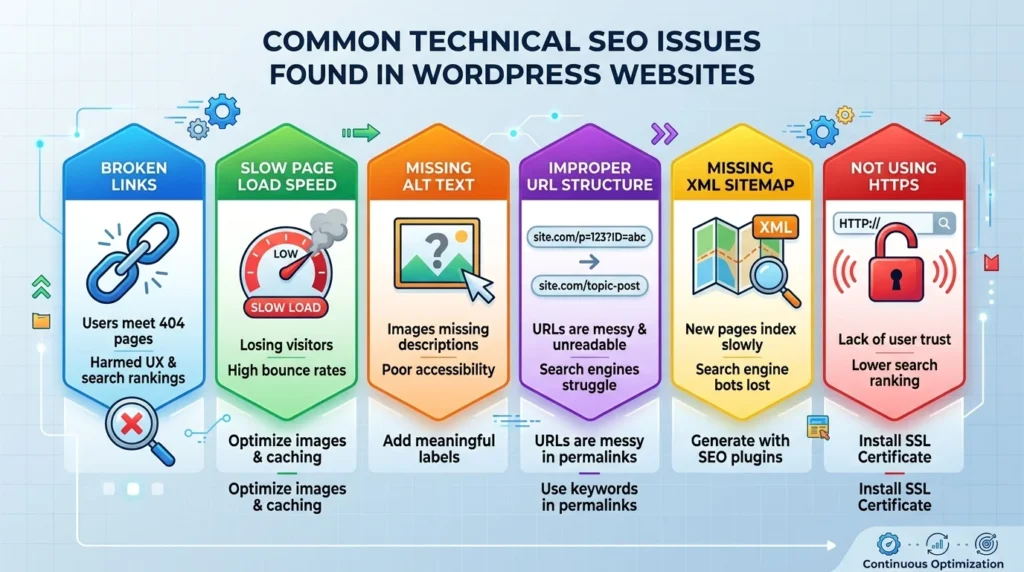
When it comes to maintaining a WordPress site, ensuring that your technical SEO is on point can significantly enhance visibility and usability. Many common technical SEO issues can hinder your site’s performance. Here’s a look at these issues and how you can effectively resolve them.
Broken Links
One of the most common problems you might encounter is broken links. These negatively impact user experience and can lower your website’s credibility in the eyes of search engines.
- Identify: Use tools like Broken Link Checker to scan your site for broken links.
- Fix: Regularly update your content and check for any links that lead to non-existent pages. Replace them with working links or remove them altogether.
Slow Page Load Speed
Page speed is crucial for user experience and SEO rankings. If your pages load slowly, you risk losing visitors.
- Identify: Use Google PageSpeed Insights to check your site’s speed.
- Fix: Optimize images, enable browser caching, and use a content delivery network (CDN) to improve load times.
Missing Alt Text for Images
Images without alt text not only affect accessibility but also limit your SEO potential since search engines can’t interpret images without it.
- Identify: Go through your media library in WordPress and check for images lacking alt tags.
- Fix: Add descriptive alt text that includes keywords related to the content.
Improper URL Structure
Your URLs should be clean and include relevant keywords. WordPress allows you to customize your permalinks to improve SEO.
- Identify: Check your current URL format in the WordPress settings.
- Fix: Change settings to a user-friendly format, like /%postname%/, which helps both users and search engines.
Missing XML Sitemap
An XML sitemap allows search engines to understand your site’s structure. Not having one can delay indexing new pages.
- Identify: Use an SEO plugin like Yoast SEO to verify if an XML sitemap is generated.
- Fix: If not present, enable the sitemap feature in your SEO plugin to automatically create one.
Not Using HTTPS
Websites without HTTPS may risk losing user trust and have lower rankings. Google prioritizes secure websites.
- Identify: Check if your site has HTTPS in the URL.
- Fix: Acquire an SSL certificate through your hosting provider to make your site secure.
Inconsistent Mobile Optimization
With the rise of mobile browsing, it is crucial that your website performs well on all devices.
- Identify: Use Google’s Mobile-Friendly Test to check your site’s performance.
- Fix: Implement responsive design or check your theme for mobile optimization options.
Duplicate Content Issues
Duplicate content can confuse search engines and harm your rankings. It often occurs due to improper setups in WordPress.
- Identify: Use tools like Siteliner to find duplicate content.
- Fix: Use 301 redirects to point to the correct version of content or add canonical tags to indicate the original version.
Addressing these common technical SEO issues on your WordPress site will not only improve your search engine rankings but also create a better user experience. By implementing regular audits and fixes, you can ensure that your site remains in top shape.
For further reading on technical SEO, check out resources like Moz’s Beginner’s Guide to SEO and Ahrefs’ Technical SEO Audit Guide.
The Importance of Mobile Optimization in Technical SEO for WordPress
In today’s digital landscape, mobile optimization is not just a luxury; it’s a necessity for any successful website, especially if it’s running on WordPress. As more users access the internet via their mobile devices, having a mobile-optimized site ensures a seamless user experience. From a technical SEO perspective, this is essential for improving search engine rankings and maintaining site traffic.
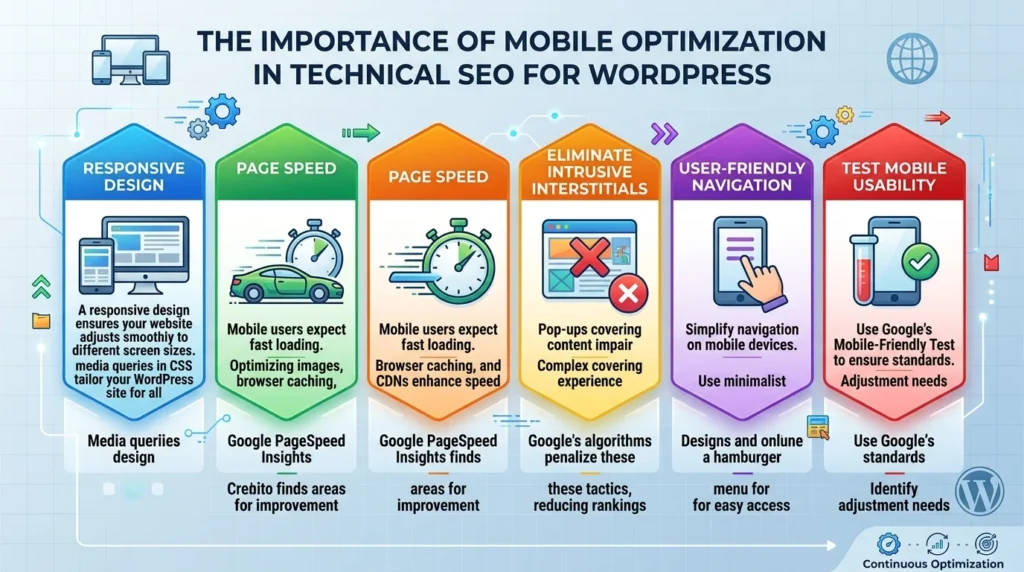
To enhance mobile optimization in technical SEO for WordPress, it’s crucial to focus on several key areas:
- Responsive Design: A responsive design ensures your website adjusts smoothly to different screen sizes. By using media queries in CSS, you can tailor your WordPress site to provide an optimal experience whether viewed on a smartphone, tablet, or desktop.
- Page Speed: Mobile users expect fast loading times. Consider optimizing images, leveraging browser caching, and using a Content Delivery Network (CDN) to enhance speed. Tools like Google PageSpeed Insights can help identify areas for improvement.
- Eliminate Intrusive Interstitials: If your WordPress site uses pop-ups or interstitials that cover page content, this can impair the mobile user experience. Google’s algorithms penalize websites that utilize such tactics, reducing their rankings on search results.
- User-Friendly Navigation: Simplifying your website’s navigation can significantly enhance usability on mobile devices. Utilize a hamburger menu or other minimalist designs to make finding information easy.
- Test Mobile Usability: Use Google’s Mobile-Friendly Test to determine if your site meets mobile standards. This tool can provide insights into what elements may need adjustment.
Performance on mobile devices is also critical. A mobile-friendly site not only keeps users engaged but also encourages longer visit durations, which in turn can result in lower bounce rates. Search engines like Google prioritize user experience, meaning that poorly optimized websites are less likely to rank highly.
Here are some additional practices to keep in mind when focusing on mobile optimization:
- Viewport Settings: Ensure your WordPress theme includes a viewport meta tag, which instructs browsers to adjust the page’s dimensions appropriately based on the device.
- Touchscreen Readiness: Ensure buttons and links are large enough to be easily clickable on mobile screens. Aim for a target size of at least 48×48 pixels.
- Structured Data: Implementing structured data helps search engines better understand your content, improving results in mobile search. Using plugins like WP Schema Pro can streamline this process.
Moreover, mobile optimization is crucial for retaining traffic. Users frustrated by slow loading times or difficult navigation are likely to abandon your site. By focusing on the technical aspects of SEO and ensuring optimal mobile performance, you create a seamless experience for your audience.
To take a closer look at the importance of mobile optimization, we can examine data from recent studies:
| Factor | Impact on User Behavior |
|---|---|
| Slow Page Load (over 3 seconds) | 53% of users abandon the site |
| Poor Navigation | 48% of users feel frustrated |
| Responsive Design | 94% of first impressions are related to design |
By ensuring your WordPress site is mobile-optimized, you enhance the overall user experience and boost your SEO potential. Resources like Yoast SEO can provide additional insights and tools to ensure your optimization efforts are effective. Keeping a user-centric approach in mind when evaluating and implementing these strategies will pave the way for a more successful online presence.
Utilizing SEO Plugins to Enhance Technical Audits on WordPress Sites
Optimizing a WordPress site involves multiple facets, one of which is conducting a thorough Technical SEO Audit for WordPress Sites. Utilizing SEO plugins not only simplifies this process but significantly enhances its effectiveness. The right tools can help you identify issues and implement solutions that improve your site’s visibility and performance. Let’s explore how these plugins can assist you in conducting technical audits on your WordPress site.
WordPress is widely known for its user-friendly interface, but to make the most of your website, you need to ensure that it is optimized for search engines. Technical SEO audits focus on the technical configuration of your site, checking aspects such as site speed, mobile responsiveness, and indexability. SEO plugins can streamline this process, making it easier for you to enhance site performance.
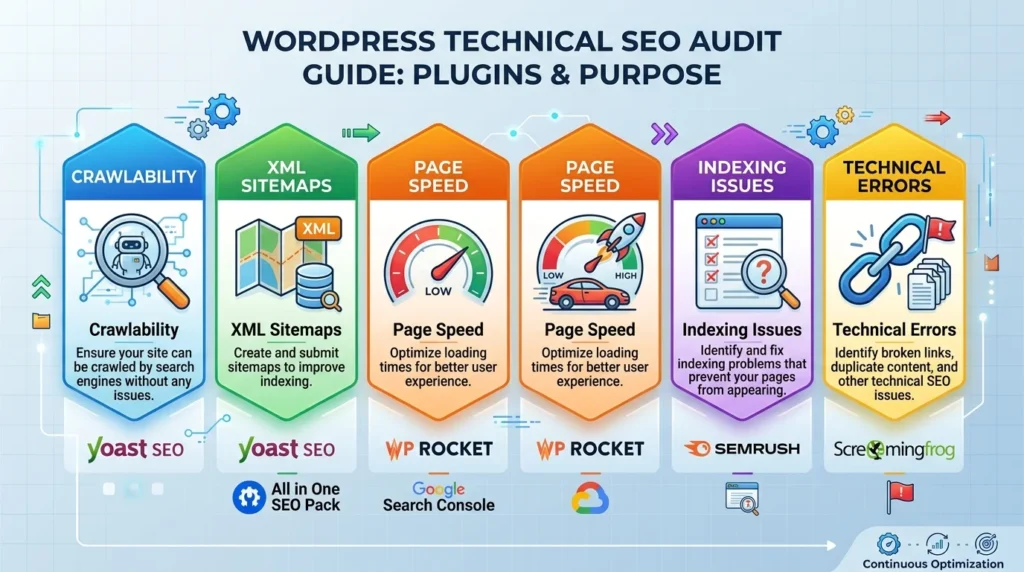
Here are essential SEO plugins to consider for performing a Technical SEO Audit for WordPress Sites:
- Yoast SEO – This plugin is a staple for many WordPress users. It offers tools to manage keywords, readability analysis, and technical SEO recommendations. With Yoast, you can easily check if your site is indexable and whether you have any crawl issues.
- All in One SEO Pack – An alternative to Yoast, this plugin provides comprehensive features to enhance site optimization. It includes XML sitemap generation, social media integration, and advanced canonical URLs, aiding in a seamless audit process.
- WP Rocket – Speed is a crucial factor in technical SEO. WP Rocket helps in caching and optimizing page speed, which can be assessed during your audit. A faster site leads to better user experience and higher search rankings.
- SEMrush – While not a plugin designed exclusively for WordPress, SEMrush offers an extensive site audit feature that can analyze your site’s overall health. Integrating this with your WordPress site can provide valuable insights.
- Screaming Frog SEO Spider – This desktop app can crawl your site and identify technical issues such as broken links, duplicate content, and redirect chains. Although it’s not a plugin, it’s an invaluable tool for a comprehensive audit.
After installing these plugins, you can begin your audit by checking the following key areas:
| Audit Area | Plugins to Use | Purpose |
|---|---|---|
| Crawlability | Yoast SEO, All in One SEO Pack | Ensure your site can be crawled by search engines without any issues. |
| XML Sitemaps | Yoast SEO, All in One SEO Pack | Create and submit sitemaps to improve indexing. |
| Page Speed | WP Rocket | Optimize loading times for better user experience. |
| Indexing Issues | SEMrush | Identify and fix indexing problems that prevent your pages from appearing in search results. |
| Technical Errors | Screaming Frog | Identify broken links, duplicate content, and other technical SEO issues. |
Once you have identified the technical issues, use the insights offered by these plugins to rectify them. Pay attention to details like optimizing metadata, fixing broken links, and enhancing overall site load speed. Make sure that your website is mobile-friendly, as a large portion of web traffic comes from mobile devices. Testing these aspects frequently can not only improve user experience but also positively impact your SEO rankings.
Best Practices for Maintaining Technical SEO Health in WordPress After an Audit
After conducting a Technical SEO Audit for WordPress Sites, it’s crucial to maintain its health. This proactive approach ensures that your website continues to perform well in search engine rankings over time. Here are some best practices to keep your site in optimal condition.
1. Regular Monitoring of Site Speed
Fast loading times are essential for both user experience and SEO. Tools like Google PageSpeed Insights can help you assess your site’s speed and identify areas for improvement. Focus on:
- Compressing images
- Minifying CSS, JavaScript, and HTML
- Utilizing browser caching
- Improving server response time
2. Keep WordPress Core, Themes, and Plugins Updated
Outdated software can lead to security vulnerabilities and have a negative impact on your site’s performance. Ensure you regularly:
- Update WordPress core
- Update your themes
- Update your plugins
Using a managed WordPress hosting provider can simplify this process by providing automatic updates.
3. Optimize Your Database
A clean and well-optimized database is vital for a high-performing site. Use plugins like WP-Optimize to:
- Remove post revisions
- Delete spam comments
- Optimize database tables
This helps to reduce clutter and improve your website’s loading time.
4. Set Up a Reliable Backup Solution
Regular backups are your safety net. In case of data loss or a technical failure, having backups ensures that you can restore your site quickly. Consider plugins such as UpdraftPlus for efficient and reliable backup solutions.
5. Implement Structured Data
Structured data helps search engines better understand your content, improving your chances of appearing in rich snippets. Use plugins like WP SEO Structured Data Schema to add structured data easily. Focus on:
- Local Business Schema
- Article Schema
- Product Schema
6. Monitor and Fix Crawl Errors
Regularly check for crawl errors in Google Search Console. By quickly addressing issues such as 404 errors or redirect chains, you can improve both user experience and SEO. Review your site’s structure and links frequently.
7. Improve Mobile Responsiveness
With mobile devices accounting for over half of all web traffic, having a mobile-responsive design is critical. Use Google’s Mobile-Friendly Test to evaluate how well your site performs on mobile devices. If your site isn’t mobile-friendly, consider:
- Switching to a responsive theme
- Using plugins that enhance mobile performance
8. Check HTTPS Security
Security is a priority for both users and search engines. Make sure your website is secure by using HTTPS. If your site is not secure, consider implementing an SSL certificate through your hosting provider. This helps protect user data and improves your site’s trustworthiness.
9. Utilize SEO Analysis Tools
Use SEO analysis tools like Moz Pro and Ahrefs to monitor your SEO performance. These tools can provide insights into keyword rankings, backlinks, and site audits.
10. Keep Content Fresh
Regularly update your existing content and create new posts to keep your audience engaged. Fresh content signals to search engines that your site is alive and relevant. Aim to update older posts and add new data or insights to provide ongoing value to your readers.
By following these practices, you’ll ensure your WordPress site remains technically sound, enhances user experience, and stays positioned well in search engine results. Regular attention to these areas can protect and boost your site’s visibility, helping you reach your online goals.
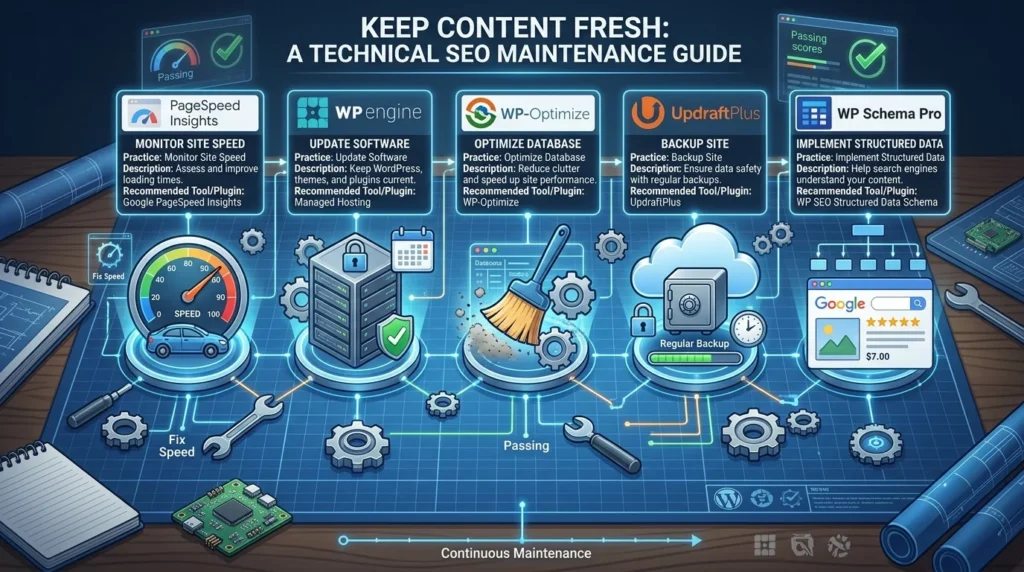
| Practice | Description | Recommended Tool/Plugin |
|---|---|---|
| Monitor Site Speed | Assess and improve loading times. | Google PageSpeed Insights |
| Update Software | Keep WordPress, themes, and plugins current. | Managed Hosting |
| Optimize Database | Reduce clutter and speed up site performance. | WP-Optimize |
| Backup Site | Ensure data safety with regular backups. | UpdraftPlus |
| Implement Structured Data | Help search engines understand your content. | WP SEO Structured Data Schema |
Conclusion
A thorough Technical SEO Audit for WordPress Sites is more than just a checklist; it’s an essential step toward ensuring your site performs well in search engine results and provides an excellent user experience. By identifying common issues—such as slow loading speeds, broken links, and poor mobile optimization—you can implement effective fixes to enhance your site’s overall health. Prioritizing mobile optimization is key, as more users access websites through their mobile devices than ever before; ensuring your site is responsive can significantly impact your rankings and user satisfaction.
Using SEO plugins can streamline the auditing process, offering tools and insights that simplify complex tasks. Plugins like Yoast SEO or SEMrush provide valuable data, helping you pinpoint areas for improvement and enhance your technical SEO structure. After conducting your audit, adopting best practices is crucial for maintaining ongoing SEO health. Regularly update your content, monitor site performance, and ensure plugins and themes are up to date.
Remember, technical SEO is not a one-time effort but a continuous journey. By committing to regular audits and staying proactive in addressing any issues that arise, you can secure a robust foundation for your WordPress site. This commitment not only boosts your search engine visibility but also creates a better experience for your users, ultimately driving more traffic and engagement. Take the time to invest in your site’s technical SEO today; it’s a path that leads to sustained success in the competitive online landscape.