
How to Use Surveys to Recommend Affiliate Products to Readers

ATTENTION: Want to Learn Affiliate Marketing from Successful Affiliates?
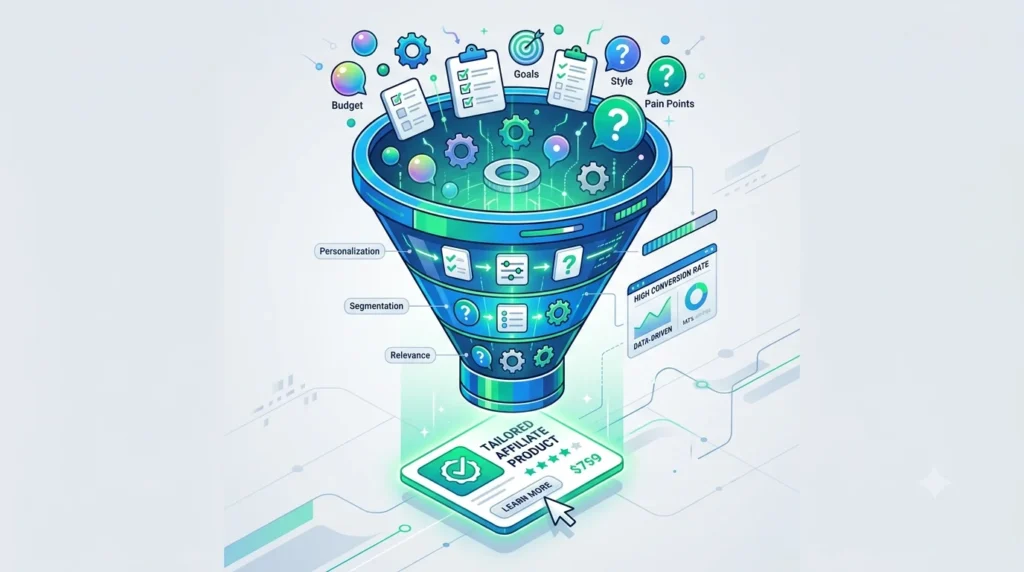
Picture this: instead of guessing what your readers want, you simply ask them — then hand them exactly what they said they needed, complete with your affiliate link. No hard sell. No “buy this now” banner. Just a conversation that ends in a recommendation they actually asked for.
That’s the quiet magic of surveys in affiliate marketing. Most bloggers and content creators treat affiliate links like billboards — plastered everywhere, hoping someone clicks. But the creators who consistently earn real commissions do something different. They ask questions first. They listen. Then they recommend.
This article breaks down exactly how to build that system for your own site — from the psychology of why it works, to the tools that make it easy, to the exact question types that lead readers straight to a “yes, this is perfect for me” moment.
Why Surveys Outperform Generic Affiliate Links
A banner ad or a random “check out this product” link is a monologue. A survey is a dialogue. And dialogues convert better because they remove the single biggest barrier to any purchase decision: uncertainty.
When someone answers a few questions about their goals, budget, or pain points, they’re doing your persuasion work for you. They’re not being sold to — they’re being understood. And once someone feels understood, the product you recommend afterward doesn’t feel like an ad. It feels like a solution.
- Personalization beats persuasion. A recommendation based on someone’s actual answers feels tailor-made, even if it’s really just smart segmentation behind the scenes.
- Surveys pre-qualify your traffic. By the time someone reaches the results page, they’ve already told you they’re interested in solving a specific problem — which means they’re primed to buy a solution.
- They boost engagement metrics. Interactive content like quizzes and surveys tends to keep visitors on your page longer, which search engines and email platforms both reward.
- They build a first-party data goldmine. Every response teaches you more about your audience’s needs — data you can use for future content, product launches, or ad targeting.
The Psychology Behind “Answer This, Get That”
There’s a well-documented behavioral principle at play here called the IKEA effect — people place higher value on things they’ve had a hand in creating. When a reader spends 90 seconds answering questions about their skin type, their budget, or their fitness goals, they become invested in the outcome. They want the recommendation to be right, so they trust it more.
There’s also the commitment and consistency principle. Once someone commits to a small action (answering a survey), they’re psychologically inclined to follow through with the next logical step (clicking the recommended product) to stay consistent with the identity they just expressed — “I care about my skin,” “I’m serious about getting fit,” “I want to save money on groceries.”
Types of Surveys That Actually Drive Affiliate Clicks
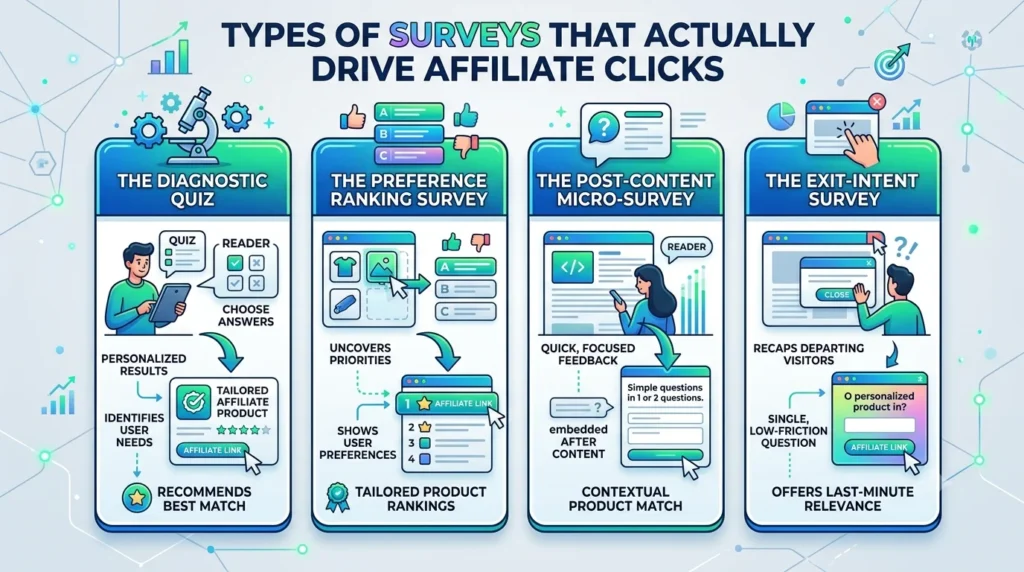
Not every survey format works the same way. Depending on your niche and audience, some formats will feel more natural than others.
The Diagnostic Quiz
This is the classic “find your perfect match” format. Think skincare quizzes (“What’s your skin type?”), fitness quizzes (“What’s your training style?”), or finance quizzes (“What’s your investing risk tolerance?”). The reader answers a handful of questions, and at the end, they’re shown a product or a short list of products tailored to their result.
The Preference Ranking Survey
Instead of a diagnostic quiz, this format simply asks readers to rank their priorities — price, quality, speed, brand reputation, eco-friendliness — and then recommends products that match those priorities. It works especially well for comparison-style content like “best budget laptops” or “best meal kits.”
The Post-Content Micro-Survey
This is a short, one-or-two-question survey embedded at the end of a blog post. For example, after an article about home workouts, you might ask: “Do you prefer working out with equipment or bodyweight only?” Based on the answer, you show a tailored product recommendation (resistance bands vs. a yoga mat, for instance).
The Exit-Intent Survey
Triggered when a visitor is about to leave your site, this survey asks a single, low-friction question (“What brought you here today?”) and routes them to a relevant resource or product page based on their answer — turning an abandoning visitor into an engaged one.
Building Questions That Lead Naturally to a Recommendation
The biggest mistake creators make is writing survey questions like a market researcher instead of a helpful friend. Your questions shouldn’t feel like an interrogation — they should feel like the start of good advice.
- Start broad, then narrow. Open with a general question about the reader’s goal, then get specific about constraints like budget, time, or skill level.
- Ask about pain points, not just preferences. “What’s frustrating you most about your current routine?” surfaces emotional triggers that make a recommendation land harder.
- Keep it to 3–6 questions. Long surveys kill completion rates. You want just enough data to segment readers into 3–5 meaningful outcome groups.
- Use multiple choice over open text. Multiple choice answers are faster to complete and far easier to map to specific product recommendations behind the scenes.
- End with a light, fun question. Something playful right before the results screen (like a personality-style question) increases perceived value and shareability.
A Real-World Example
Imagine a survey for a productivity blog:
- “What’s your biggest time-waster right now?” (email, meetings, disorganization, procrastination)
- “How do you prefer to plan your day?” (digital app, paper planner, sticky notes, I don’t plan)
- “What’s your monthly budget for productivity tools?” (free only, under $10, under $30, no limit)
Based on those three answers alone, you can confidently route someone toward a specific app subscription, a physical planner, or a course — each with its own affiliate link attached.
Tools to Build Your Survey (No Coding Required)
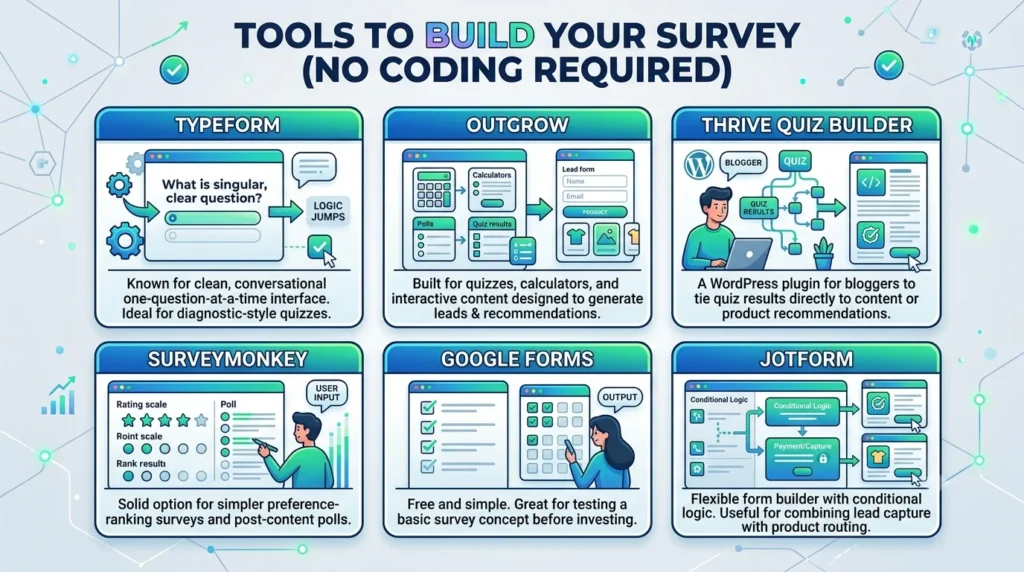
You don’t need a developer to pull this off. Several platforms are built specifically for creating conditional, branching surveys that lead to personalized outcomes.
- Typeform — known for its clean, conversational one-question-at-a-time interface and strong logic-jump features, making it ideal for diagnostic-style quizzes.
- Outgrow — built specifically for quizzes, calculators, and interactive content designed to generate leads and recommendations.
- Thrive Quiz Builder — a WordPress plugin purpose-built for bloggers who want quiz results tied directly to content or product recommendations.
- SurveyMonkey — a solid option for simpler preference-ranking surveys and post-content polls.
- Google Forms — free and simple, great for testing a basic survey concept before investing in a paid tool.
- Jotform — flexible form builder with conditional logic, useful for combining lead capture with product routing.
Most of these tools let you build “logic jumps” — meaning the path a reader takes through the survey changes based on their previous answers. That branching logic is what makes the end recommendation feel individually crafted rather than generic.
Where to Place Your Survey for Maximum Impact
Placement matters just as much as the questions themselves. A brilliant quiz buried at the bottom of a rarely-visited page won’t move the needle.
- Embed it inside high-traffic blog posts — particularly comparison or “best of” articles where readers are already in decision-making mode.
- Feature it prominently in your navigation menu or as a dedicated landing page (“Take the quiz: Find Your Perfect [Product Type]”).
- Promote it through email to your subscriber list — surveys tend to get strong open and click rates because they feel personal rather than promotional.
- Use pop-ups sparingly — a well-timed, non-intrusive pop-up after someone has scrolled 50% of an article can invite them to “get a personalized recommendation” without feeling like an interruption.
- Repurpose it on social media as an Instagram Story poll or a link-in-bio quiz, driving traffic back to your site for the full result and recommendation.
Turning Survey Answers Into Affiliate Recommendations
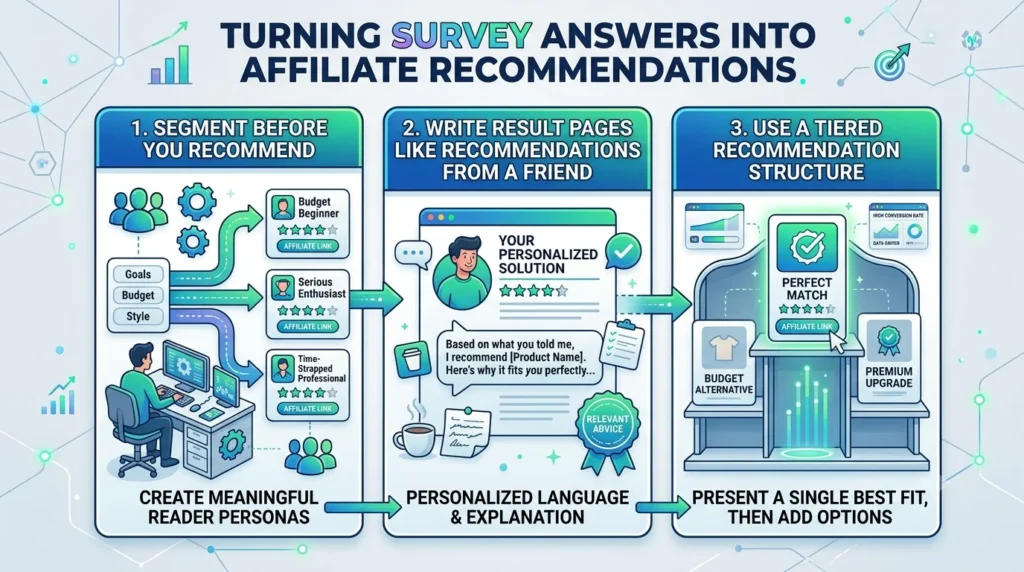
This is where the strategy actually pays off. Once you’ve collected answers, you need a clear system for mapping those answers to specific products.
Segment Before You Recommend
Group your possible outcomes into a handful of clear reader “personas” based on likely answer combinations — for example, “The Budget Beginner,” “The Serious Enthusiast,” and “The Time-Strapped Professional.” Each persona should map to one or two ideal affiliate products, not a long list. Too many options creates decision fatigue and kills conversions.
Write Result Pages Like Recommendations From a Friend
Your results page shouldn’t read like a product spec sheet. It should feel like a friend saying, “Based on what you told me, here’s exactly what I’d get.” Include a short explanation of why the product fits their specific answers, not just a generic description.
Use a Tiered Recommendation Structure
- Primary recommendation — the single best-fit product for their answers, front and center.
- Alternative option — a secondary product for readers who want a cheaper or premium alternative.
- Bonus resource — a related free guide, checklist, or article that builds additional trust before they click through.
Following Up After the Survey (Where the Real Money Is)
Most of the value from a survey doesn’t come from the first click — it comes from the follow-up. If you’re capturing email addresses as part of your survey (which you should be, with permission), you can build an automated sequence that reinforces the recommendation over several days.
- Day one: deliver the personalized result immediately, with the primary affiliate link.
- Day three: send a follow-up story or case study showing the product in action, addressing common hesitations.
- Day seven: highlight a limited-time offer, bonus, or comparison against alternatives to nudge undecided readers toward a decision.
This sequence works because it mirrors how people actually make purchase decisions — rarely on the first exposure, but often after being reminded a few times in a way that feels helpful rather than pushy.
Common Mistakes That Quietly Kill Conversions
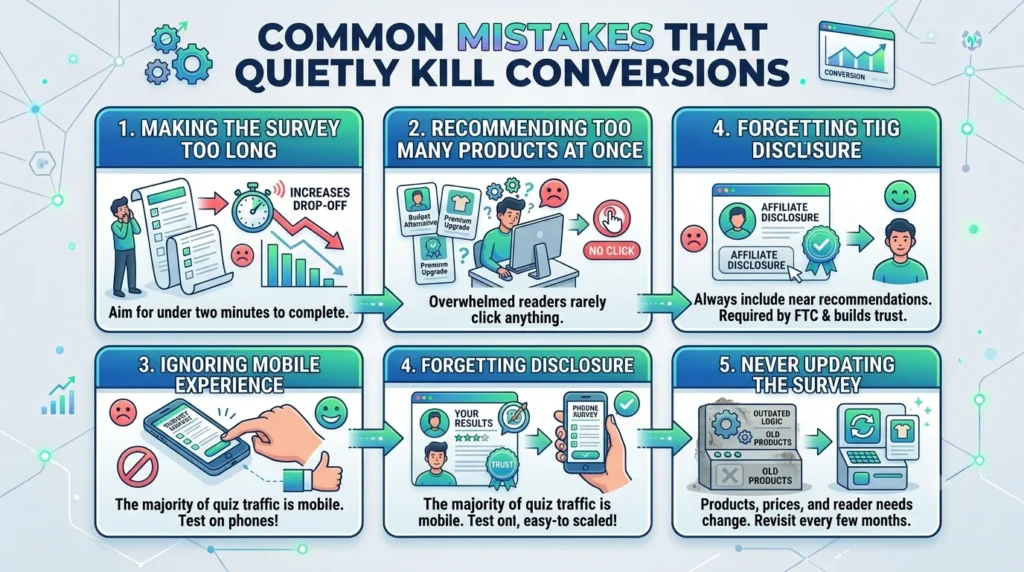
- Making the survey too long. Every extra question increases drop-off. Aim for under two minutes to complete.
- Recommending too many products at once. Overwhelmed readers rarely click anything at all.
- Ignoring mobile experience. The majority of quiz traffic comes from mobile — test your survey on a phone before publishing.
- Forgetting disclosure. Always include a clear affiliate disclosure near your recommendations — it’s required by the FTC in the US and builds reader trust rather than eroding it.
- Never updating the survey. Products change, prices change, and reader needs shift. Revisit your logic and recommendations every few months.
Measuring Whether It’s Actually Working
Once your survey is live, track more than just clicks. Look at the full funnel to understand where readers drop off and where they convert.
- Completion rate — the percentage of people who start the survey and finish it. Low completion usually means the survey is too long or the first question is too intimidating.
- Click-through rate on results — how many people click the recommended affiliate link after seeing their result.
- Conversion rate per persona — some reader segments will convert far better than others, which tells you where to focus future content and products.
- Revenue per survey completion — a single number that lets you compare this strategy directly against other affiliate placements on your site.
Most survey tools connect directly to Google Analytics or offer their own dashboards, so you can see exactly which questions and which result pages are pulling their weight — and which need a rewrite.
Bringing It All Together
Surveys work because they flip the entire affiliate marketing model on its head. Instead of pushing a product and hoping it resonates, you ask a question, listen to the answer, and hand back exactly what fits. It’s slower to set up than dropping a banner ad, but it converts better, builds more trust, and gives you first-party data you can use again and again.
Start small. Pick one high-traffic article, build a three-question survey around it, and connect the results to one or two affiliate products you already believe in. Watch how readers respond. Then expand from there — new quizzes, new personas, new follow-up sequences — until personalized recommendation becomes the backbone of how you monetize your content.
Ready to put this into action?
Start with a free account on Typeform or Google Forms, map out three to five questions around your niche, and connect your first result page to a product you already recommend.