
How to Use Heatmaps to Optimize Affiliate Link Placement?


ATTENTION: Want to Learn Affiliate Marketing from Successful Affiliates?
Understanding how users interact with your website is crucial, especially when it comes to optimizing affiliate link placement. Heatmaps are powerful tools that can reveal how visitors engage with your content. By leveraging this data, you can significantly enhance your affiliate marketing efforts.
What Are Heatmaps?
Heatmaps provide a visual representation of user behavior on your website. They use color-coded patterns to show where visitors click, scroll, and spend the most time. You can think of heatmaps as a map that highlights the most popular areas of your page. This data allows you to make informed decisions about your affiliate link placements.
Types of Heatmaps
There are primarily two types of heatmaps: click maps and scroll maps. Understanding these will help you focus your strategies effectively.
- Click Maps: These maps show where users click on your page. You can identify which links attract the most attention and where users might be getting confused or lost.
- Scroll Maps: These maps indicate how far down a page visitors scroll. It helps gauge whether users are reaching your affiliate links or if they drop off before getting there.
Setting Up Your Heatmap Tool
Before you can optimize your affiliate links, you need to implement a heatmap tool on your website. Many platforms like Hotjar and Crazy Egg offer user-friendly heatmap features. Choose a tool that fits your needs and install it according to the provided instructions.
Analyzing User Behavior
Once you begin collecting data, it’s time to analyze the results. Here are key metrics to focus on:
- Top-Clicked Areas: Identify which links and buttons are clicked the most. This insight can guide you on where to place your affiliate links.
- Mouse Movement: Understanding how visitors move their mouse can help you see where their attention lies.
- Scrolling Trends: Check how deeply users scroll down your page. If your affiliate links are placed below the average scroll depth, they may not be seen.
Optimizing Affiliate Link Placement
Armed with insights from heatmaps, you can take strategic actions to optimize your affiliate links:
- Positioning Above the Fold: Place your most important affiliate links above the fold, where they are likely to attract immediate attention.
- Use Engaging Anchor Text: Ensure the text linked to your affiliate products is compelling. Make it clear and enticing.
- Limit the Number of Links: Too many links can overwhelm visitors. Focus on a few high-quality affiliate products.
- Test Different Formats: Try different formats for your affiliate links — buttons, text links, or images — to see what attracts more clicks.
Continuous Monitoring and Adjustments
Optimization is not a one-time task. Regularly monitor your heatmaps to track changes in user behavior. As you tweak your affiliate link placements, observe how those adjustments impact clicks and conversions. Never stop experimenting!
Tools to Enhance Your Strategy
Besides heatmaps, utilize analytic tools such as Google Analytics to track overall site performance and visitor demographics. Combining heatmap data with analytics will give you a more comprehensive view of your affiliate link performance.
Using heatmaps effectively can transform your approach to affiliate marketing. By understanding user behavior, making strategic adjustments, and continuously monitoring results, you can optimize your affiliate links for maximum impact. This practice leads not only to increased engagement but also potentially higher conversions.
Heatmaps demystify user interactions with your website and allow you to enhance the visibility and effectiveness of your affiliate links. Start using them today and watch your affiliate marketing efforts thrive!
Understanding User Behavior Through Heatmaps
Understanding how users interact with your website is vital for improving its effectiveness. One powerful tool to analyze this behavior is heatmaps. Heatmaps visually represent data, showing where users click, scroll, and spend their time on your web pages. This article will delve into how heatmaps can provide insights into user behavior and enhance your website’s performance.
Types of Heatmaps
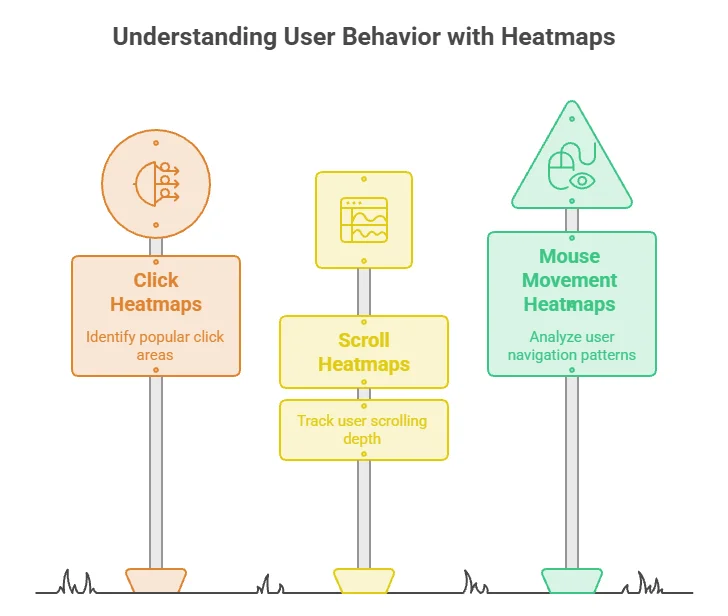
There are several types of heatmaps, each serving a unique purpose:
- Click Heatmaps: These heatmaps illustrate where users click the most. They reveal which elements attract attention, helping you place important links and buttons effectively.
- Scroll Heatmaps: Scroll heatmaps show how far down the page users scroll. This data can help identify content that engages visitors and determine if important information is being missed.
- Mouse Movement Heatmaps: These heatmaps track mouse movements across the screen. Although it doesn’t directly mirror user engagement, it offers insight into how users navigate your site and areas of interest.
Why Use Heatmaps?
Heatmaps can dramatically improve your site’s usability and effectiveness in several ways:
- Visual Insights: They provide a quick visual overview of user actions, making complex data easier to digest.
- Informed Decisions: By analyzing heatmaps, you can make informed decisions about affiliate link placements, call-to-action buttons, and content layout.
- User-Centric Design: Understanding user behavior enables you to tailor your website’s design to meet user needs, improving overall experience.
Using Heatmaps to Optimize Affiliate Link Placement
For those involved in affiliate marketing, heatmaps can be particularly useful. Here’s how you can utilize them for optimizing affiliate link placements:
1. Tracking Click Behavior
Start by generating a click heatmap for your web pages. This will highlight where users are clicking most frequently. If you notice that users click on text links or images more than others, consider placing affiliate links in those high-traffic areas.
2. Evaluating Scroll Depth
Using scroll heatmaps, analyze how far users scroll down your page. If affiliate links are positioned below the fold, they may not receive the attention they deserve. Aim to place them within the initial viewable area where users typically spend more time.
3. Modifying Call-To-Action Buttons
By observing mouse movement heatmaps, assess whether users hover over particular areas that don’t seem to attract clicks. This data can guide you to modify the design or placement of your call-to-action buttons, positioning them closer to your affiliate links to boost engagement.
Implementing Changes Based on Insights
Once you’ve gathered data from heatmaps, it’s crucial to act on those insights. Here’s a simple table summarizing actions you might consider:
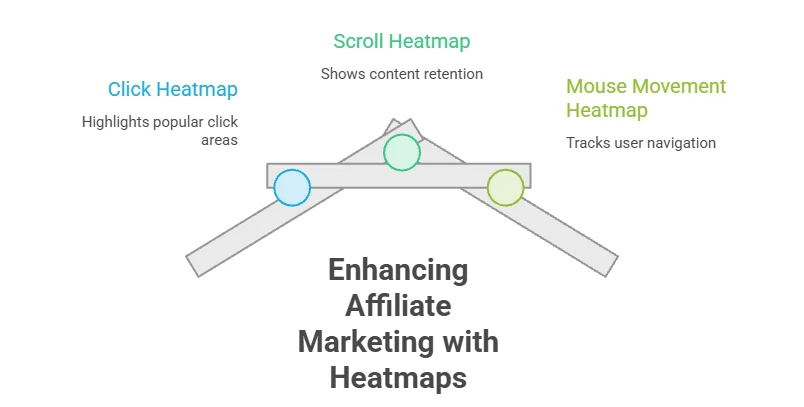
| Heatmap Type | Insights | Actions |
|---|---|---|
| Click Heatmap | Identifies popular click areas | Place affiliate links near clickable elements |
| Scroll Heatmap | Shows content retention | Shift affiliate links to visible areas |
| Mouse Movement Heatmap | Tracks user navigation | Improve design around engagement hotspots |
Choosing the Right Heatmap Tool
There are numerous tools available for generating heatmaps. Some of the most effective options include:
- Hotjar – Offers comprehensive features including heatmaps, recordings, and feedback polls.
- Crazy Egg – Allows users to create heatmaps alongside A/B testing.
- Mouseflow – Provides a detailed analysis of how users navigate through your site.
Heatmaps into your website analysis strategy can significantly enhance your understanding of user behavior. This knowledge will lead to optimized affiliate link placement, ultimately improving your conversion rates and achieving your affiliate marketing goals. By taking action based on heatmap insights, you can create a more user-friendly and financially rewarding online presence.
The Role of A/B Testing Alongside Heatmaps
Understanding visitor behavior on your website can dramatically enhance your affiliate marketing strategy. Two powerful tools for achieving this are heatmaps and A/B testing. By using both, you can create a more compelling user experience and optimize your affiliate link placement, driving more conversions.
Heatmaps provide visual representations of how users interact with your website. They show where visitors are clicking, how far they scroll, and which areas capture the most attention. This data can help you identify which elements of your page are engaging and which are not. You can utilize heatmaps to track various metrics, such as:
- Click maps: Display where users click on your site.
- Scroll maps: Indicate how far down the page users scroll.
- Attention maps: Highlight which areas attract the most focus.
On the other hand, A/B testing involves comparing two versions of a webpage to see which performs better. This technique is particularly useful in evaluating changes to elements like CTA buttons, headlines, and, importantly, affiliate link placement. When you use A/B testing alongside heatmaps, you gain valuable insights that can refine your approach to affiliate marketing.
First, start by analyzing the heatmaps from your current webpage. Identify which sections receive the most clicks and user engagement. For instance, if a significant number of users are clicking on a specific banner but not the affiliate links, it’s time to consider repositioning those links. You might experiment with placing affiliate links closer to high-traffic areas, such as just below headings or near engaging images.
Next, set up your A/B test. Create two versions of the same page:
- Version A: The original page with existing affiliate link placement.
- Version B: The redesigned version with affiliate links moved to a more engaging position based on heatmap insights.
Run these versions simultaneously, ensuring a similar audience sees both. Monitor key metrics such as conversion rates, click-through rates, and user engagement on each version over a specific testing period.
Once your A/B test concludes, analyze the results. If Version B significantly outperforms Version A, this indicates that your new placement optimizes user behavior and ultimately encourages more conversions. It’s essential to continue this process regularly. As trends shift or user preferences evolve, continually re-evaluating both heatmap data and A/B test results can keep your affiliate marketing strategy fresh.
Combining heatmaps with A/B testing allows you to make data-driven decisions rather than relying on guesswork. Here are a few advanced strategies to maximize results:
- Segment your audience: Tailor A/B tests based on demographics to see how different user groups interact.
- Utilize time of day: Monitor traffic during high-engagement hours to understand peak performance.
- Focus on mobile responsiveness: Ensure your affiliate links are optimized for mobile users, as heatmaps can reveal gaps in mobile engagement.
In addition to improving your affiliate link placements, this combined approach can enhance other aspects of your website. For example, you may find that users engage more with specific types of content, prompting you to adjust your content strategy. This can lead to better SEO performance, as more engaged users are likely to share your content and return to your site.
As your website analytics evolve, consider integrating tools like Hotjar for heatmap insights and VWO for A/B testing. Utilizing these tools together creates a robust system for understanding user behavior, enhancing both engagement and conversion rates.
Strategically using heatmaps along with A/B testing will empower you to place affiliate links more effectively and optimize the entire user experience. By making informed changes based on data, you can achieve greater success in your affiliate marketing endeavors.
Best Practices for Designing Website Layouts Based on Heatmap Data
Understanding user behavior on your website is crucial for optimizing performance and enhancing user experience. Heatmaps provide valuable insights into how visitors interact with your content, revealing the areas where they click, scroll, or hover. By analyzing this visual data, you can design your website layout more effectively to boost engagement, retention, and conversions.
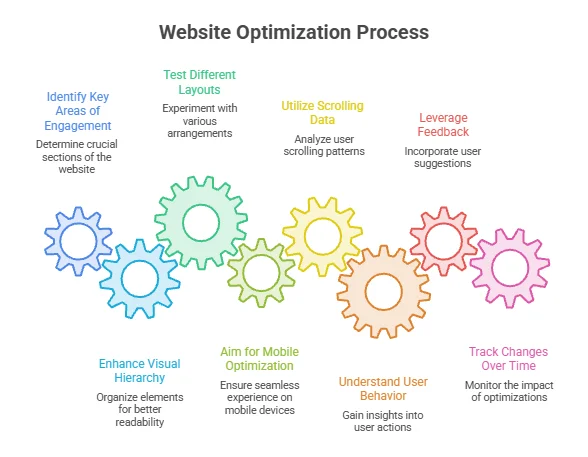
Identify Key Areas of Engagement
Start by collecting heatmap data using tools like Hotjar or Crazy Egg. These platforms will show you where users engage the most and which sections are often ignored. By identifying these key interaction areas, you can prioritize important content and call-to-action buttons. For instance:
- Optimize high-heat zones for critical offers or links.
- Minimize the emphasis on low-heat areas to avoid cluttering the layout.
Enhance Visual Hierarchy
Your website’s visual hierarchy directs users toward action points. Heatmaps can inform you on how effectively this hierarchy functions. If a specific button appears in a cold zone, it might indicate the need for a redesign or repositioning. Consider these strategies:
- Content Placement: Place essential information at the top of the page and adjust layouts to mirror the areas with the most engagement.
- Color Contrast: Use contrasting colors to draw attention to key calls-to-action.
- Size and Shape: Adjust button size and shape to align with more active areas.
Test Different Layouts
A/B testing should go hand-in-hand with heatmap analysis. Create multiple versions of your layout and direct traffic to them while observing how users respond. With heatmaps, you can clearly see which version performs better. Here are some aspects to test:
- Placement of affiliate links to see which locations drive more clicks.
- Variations in the color and size of buttons to maximize visibility.
- Changes in the arrangement of text blocks and images to enhance readability.
Aim for Mobile Optimization
As mobile traffic increases, ensuring your website is mobile-friendly is paramount. Review mobile-specific heatmaps to understand how users interact on smaller screens. Common strategies for mobile optimization include:
- Simplified Navigation: Make navigation intuitive and reachable within a thumb’s touch.
- Responsive Design: Test if the layout adjusts properly across various screen sizes, making important elements easily accessible.
Utilize Scrolling Data
Scrolling heatmaps reveal how far down users typically go, providing insight into content effectiveness. If most users drop off after a certain point, consider:
- Placing the most compelling content higher on the page.
- Using engaging visuals or videos to capture attention further down.
Understanding User Behavior
Heatmaps not only show where users click, but also how they navigate through pages. By analyzing user paths, you can adjust your website architecture to create a more intuitive experience. Focus on eliminating any roadblocks that lead to higher bounce rates.
Leveraging Feedback
Mixing qualitative feedback with quantitative heatmap data gives a more well-rounded view of user experience. Encourage users to leave comments or suggestions. Tools like UserTesting can help collect this feedback efficiently.
Tracking Changes Over Time
Regularly monitor heatmap data after making adjustments to your site. Issues that may not have been evident initially can surface as user behavior trends evolve. Aim to devise an ongoing strategy that utilizes heatmaps to continually optimize your site.
By leveraging heatmaps effectively, you can refine your website layout to maximize user engagement and conversions. Understand that design is not static; it’s a continuous process that grows and changes with user needs. As you integrate these insights, you will create a website that resonates more profoundly with your audience, ultimately driving your affiliate marketing success.
Measuring the Impact of Heatmap Insights on Affiliate Marketing Success
In the world of affiliate marketing, understanding where your audience looks and clicks is crucial. One effective tool that can illuminate these behaviors is a heatmap. By measuring the impact of heatmap insights, you can significantly boost your marketing success. Let’s explore how you can leverage these visual analytics in your affiliate marketing strategy.
Understanding Heatmaps
Heatmaps are graphical representations that illustrate where users are clicking on your website. Typically displayed in a color-coded format, they help you identify high-traffic areas and the parts of your page that may be overlooked. This information is vital for optimizing affiliate link placement.
Types of Heatmaps
- Click Heatmaps: Show where visitors are clicking the most.
- Scroll Heatmaps: Indicate how far down the page users are scrolling.
- Move Heatmaps: Track mouse movement to see where users focus their attention.
How to Use Heatmap Insights Effectively
To fully leverage the power of heatmaps in affiliate marketing, follow these strategies:
1. Analyze Click Distribution
Start by looking at click heatmaps. These will reveal which affiliate links attract the most attention. If you find certain links are consistently clicked, consider making them more prominent. Conversely, if other links receive minimal clicks, think about redesigning or relocating them.
2. Optimize Link Placement
Your affiliate links should be strategically placed for maximum visibility. High-click areas can be effective spots. Place links near compelling content, images, or headlines. Experiment with different positions and reassess the heatmap data to see what works best.
3. Evaluate Scroll Depth
Understanding scroll heatmaps can inform you about user engagement with your content. If users are dropping off before reaching your links, consider revising your page layout. Make important links accessible without excessive scrolling. A well-placed affiliate link near the top can enhance visibility and increase conversions.
4. Understand User Behavior
Heatmaps reveal more than just clicks; they provide insights into user behavior. Use move heatmaps to see where users hover their mouse. If users focus on an area without clicking, they might be interested but unsure. Enhance these sections with more informative content or a stronger call to action, to encourage clicks.
Real-World Application
Applying heatmap insights can lead to measurable improvements in your marketing efforts. For instance, after optimizing link placements based on heatmap data, a popular blogging site saw a 30% increase in clicks on affiliate links. This resulted in a notable uptick in revenue from affiliate sales.
Setting Goals for Using Heatmaps
When integrating heatmaps into your strategy, set clear objectives:
- Improve click-through rates (CTR) on affiliate links.
- Enhance overall user engagement on your pages.
- Reduce bounce rates by making affiliate links more accessible.
| Goal | Heatmap Focus | Expected Outcome |
|---|---|---|
| Increase CTR | Click Heatmaps | More targeted link placements |
| Boost Engagement | Scroll Heatmaps | Link visibility with user content interaction |
| Lower Bounce Rate | Move Heatmaps | Better understanding of user interest areas |
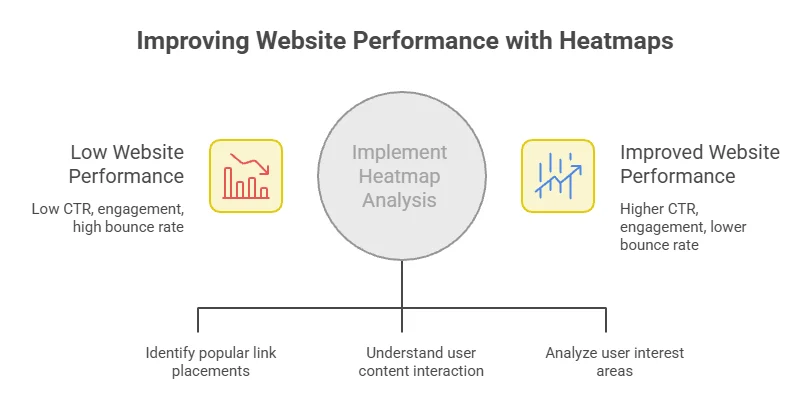
Harnessing heatmap insights can propel your affiliate marketing efforts. By analyzing click distribution, optimizing link placements, and understanding user behavior, you can make data-driven decisions that enhance your website’s performance and increase affiliate revenue.
Conclusion
Optimizing affiliate link placement is a multifaceted approach that leverages the power of heatmaps to enhance user engagement and drive conversions. By understanding user behavior through heatmaps, you can identify which areas of your webpage attract the most attention, allowing for strategic positioning of your affiliate links. This targeted approach not only increases visibility but also aligns with the natural flow of user navigation, ensuring that links are both seen and clicked.
A/B testing serves as an essential partner to heatmaps, providing clear data on how different layouts and link placements perform. This synergy enables you to continually refine your strategies, allowing for agile adjustments based on real-time user interactions. Implementing best practices for website design based on heatmap insights can significantly enhance user experience. For instance, placing affiliate links in high-engagement zones, such as above the fold or within engaging content, can lead to improved click-through rates.
Ultimately, measuring the impact of heatmap insights on your affiliate marketing success provides invaluable feedback. Tracking the performance of links and correlating them with the heatmap data will highlight what works and what doesn’t. This data-driven approach empowers you to make informed decisions, ensuring that your affiliate strategies are not only effective but also evolving with your audience’s needs. By adopting these techniques, you will not only optimize link placement but also enhance the overall performance of your affiliate marketing efforts, paving the way for ongoing success.