Hermes Workspace vs. Hermes Web UI: The Ultimate AI Agent Interface Guide

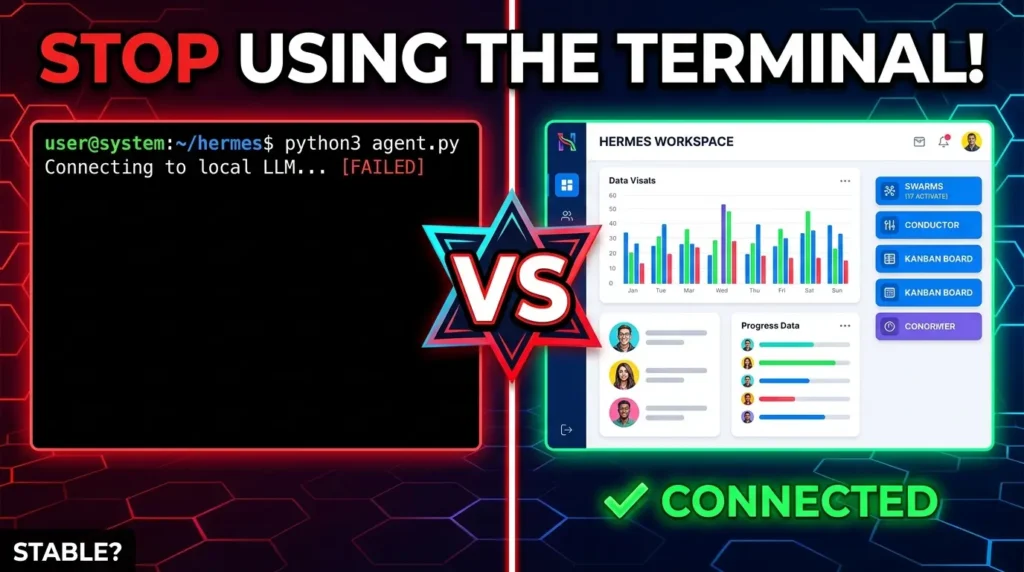
When it comes to deploying your autonomous AI agents, moving away from a raw terminal user interface is the first step toward scaling your workflows. But as you look for a clean graphical dashboard, you are immediately confronted with two open-source, free options that appear similar on the surface but behave entirely differently: Hermes Web UI and Hermes Workspace. Choosing the wrong one can fundamentally limit what your AI automation is actually capable of executing.
The core distinction lies in scale, project management depth, and stability. One interface acts as a streamlined, single-agent system that focuses on a linear chat dashboard and connects flawlessly right out of the box. The other behaves like a sprawling virtual office operations center, complete with complex file spaces, interactive developer dashboards, and even simulated visual agent environments.
To build an efficient business automation ecosystem, you have to match your interface to your operational goals. If your tasks require running complex, simultaneous operations with an entire team of autonomous profiles, your requirements will point you toward an multi-agent setup. Conversely, if you need a simple, reliable chat container that doesn’t suffer from synchronization bugs or complex configuration layouts, a direct approach is best.
Single vs. Multi-Agent Processing: Hermes Web UI allows you to configure multiple profiles but forces you to switch between them manually, running only one active profile at a time. Hermes Workspace features “Swarms,” allowing you to run up to 17 different active agent profiles simultaneously to coordinate massive team tasks like building a 50-page website.
Developer and Project Tooling: Hermes Workspace provides deep customization features missing from the Web UI, including a visual “Spaces” folder system to move and edit project files, a live terminal interface, visual Kanban task boards, and a “Conductor” dashboard to launch coordinated agent missions.
Connection Stability: Hermes Web UI connects perfectly almost every single time with minimal configuration. Hermes Workspace is notoriously buggy during initial setup, often requiring you to manually troubleshoot connection strings or feed execution logs directly back into your LLM to establish a stable API sync.
Bonus Simulations: Hermes Workspace includes a specialized mobile access setup and “Hermes World”—a unique visual AI simulation game that allows you to watch your agents move around an environment and complete tasks, an interactive component absent from the Web UI dashboard.
Free Token Optimization: For either interface, you can bypass heavy token costs and run your setups for free by utilizing free APIs paired with efficient models like StepFun 3.5 Flash inside your gateway routing.
To see these two graphical dashboards compared side-by-side in real-time, troubleshoot common authentication errors, and watch an active agent swarm execute complex tasks live, check out the full breakdown below.
P.S. If you want to go deeper than just tutorials and actually build a business with AI tools then join the AI Profit Boardroom. Here’s where you will find tons of tutorials, tips, tools and advanced workflows that don’t make it to YouTube. Check out the AI Profit Boardroom here: https://clinthermanlikes.com/aipb