
Improving User Experience for SEO

ATTENTION: Want to Learn Affiliate Marketing from Successful Affiliates?
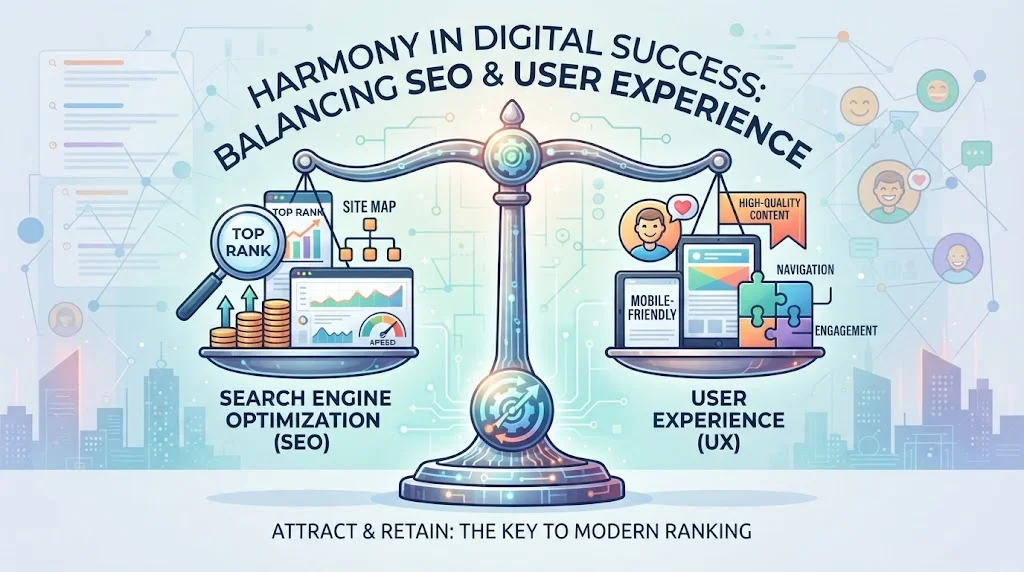
Improving User Experience for SEO is a crucial factor when it comes to search engine optimization (SEO). Search engines like Google are increasingly focusing on the quality of user experience, which means that creating a site that not only attracts visitors but also retains them is essential. Here are some key strategies to enhance user experience for SEO.
Make Your Website Mobile-Friendly
With the rise of mobile usage, ensuring your website is mobile-friendly is no longer optional. Here are some important points to consider:
- Responsive design: Make sure your website adjusts seamlessly to various screen sizes.
- Loading speed: Optimize images and scripts to ensure fast loading times on mobile devices.
- Touch elements: Ensure buttons are large enough to be tapped easily on smaller screens.
Improve Loading Speed
Loading speed is a key aspect of user experience that impacts bounce rates and SEO ranking. You can enhance site speed through:
- Image Optimization: Compress images to reduce their file size without compromising quality.
- Leverage Browser Caching: Allow users to store some website data so they don’t have to reload it every visit.
- Minimize Redirects: Limit the number of redirects in your site to help speed up loading times.
Create High-Quality, Engaging Content
Quality content keeps users on your site longer and increases engagement. Here are some tips:
- Understand Your Audience: Research their needs and interests to create relevant content.
- Use Clear and Concise Language: Avoid jargon and make your content easy to read.
- Include Visual Elements: Incorporate images, videos, and infographics to make your content more engaging.
Enhance Navigation
A well-structured website helps users find what they are looking for quickly. Here are a few ways to improve navigation:
- Clear Menus: Use straightforward labels for your navigation menus.
- Breadcrumbs: Include breadcrumb navigation to help users understand their location within your site.
- Search Functionality: Provide an easy-to-use search bar for users to find specific content.
Utilize Internal Linking
Internal links help users discover more of your content and keep them engaged. Here’s how to use them effectively:
- Link Related Content: When writing a blog post, link to other relevant articles on your site.
- Use Descriptive Anchor Text: Make sure the text used in the link describes the content it leads to.
- Limit Links: Too many links can overwhelm users, so choose them wisely.
Optimize for Voice Search
With more people using voice search, optimizing for it can enhance user experience:
- Use Conversational Phrases: Write content in a natural, conversational tone.
- Target Question-Based Queries: Include common questions in your content.
- Focus on Local SEO: Many voice searches are location-based, so optimize for local keywords.
Regularly Update Your Content
Stale content can drive users away. Keep your site fresh by:
- Updating Old Posts: Revise older articles with new information and data.
- Creating New Content: Regularly add new articles, guides, or resources to keep users engaged.
- Encouraging Feedback: Ask readers for their input on what topics they want to see next.
Monitor Analytics and Adjust Accordingly
Measuring the success of your strategies is key. Utilize tools like Google Analytics to understand user behavior. Pay attention to metrics such as:
- Bounce Rate: High bounce rates may indicate poor user experience.
- Average Session Duration: Longer sessions suggest users find value in your content.
- Conversion Rates: Track how many users complete actions like signing up for newsletters or making purchases.
For further reading on enhancing user experience, check out Moz and Search Engine Journal.
The Role of Website Speed in User Satisfaction
Website speed plays a crucial role in user satisfaction and is integral to the overall experience visitors have while browsing online. It’s no secret that a slow-loading website can deter users, causing frustration and leading them to exit. In today’s fast-paced digital landscape, your site’s performance can either make or break user engagement.
When a visitor clicks on your site, they expect quick access to information. Specifically, a loading time of three seconds or less is ideal. If your website takes any longer, it may lead to increased bounce rates, resulting in losing potential customers. Research shows that 47% of users expect a webpage to load in two seconds or less. Additionally, a one-second delay can decrease customer satisfaction by 16%. Therefore, enhancing website speed is essential for retaining users.
Improving loading speeds not only boosts user satisfaction but also contributes positively to SEO rankings. Google has emphasized the importance of page speed as part of its ranking algorithm. A fast website typically translates to higher placement in search results, driving more organic traffic to your site. This symbiotic relationship between speed, user experience, and SEO should be a top priority for webmasters.
Factors Impacting Website Speed
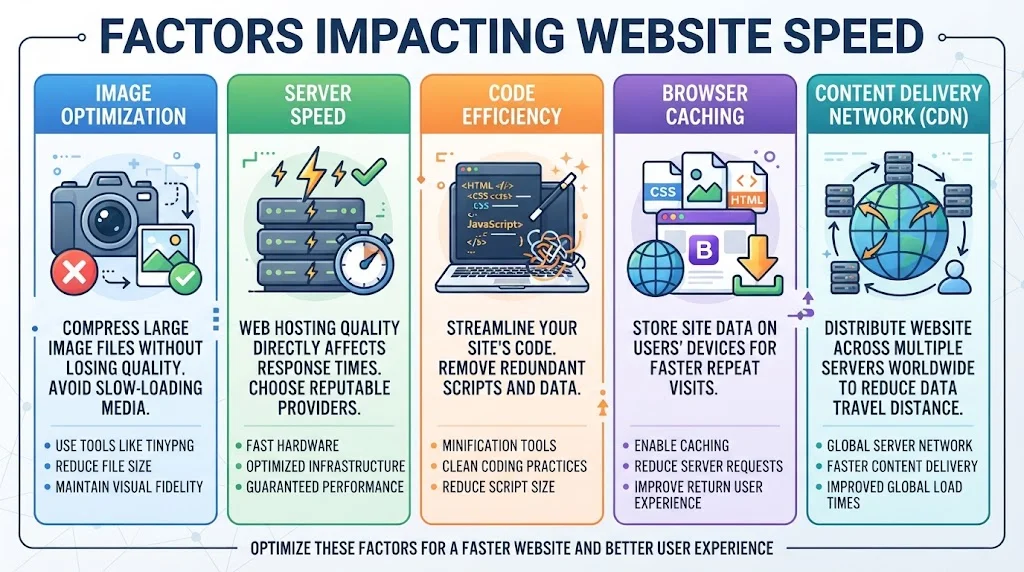
Several elements contribute to website speed. Understanding these can help you make informed improvements. Here are some key factors:
- Image Optimization: Large image files can significantly slow down loading times. Using tools to compress images without sacrificing quality is vital. Websites like TinyPNG can help with this process.
- Server Speed: The quality of your web hosting service influences server response times. Opt for reputable hosting providers that guarantee fast server performance.
- Code Efficiency: Clean and concise code helps webpages load faster. Redundant code and large scripts can slow down the speed. Utilize minification tools to streamline your HTML, CSS, and JavaScript files.
- Browser Caching: Enabling browser caching can significantly reduce load times for repeat visitors. Caching stores elements of your site so that they don’t need to be downloaded again.
- Content Delivery Network (CDN): A CDN distributes your website across multiple servers worldwide, reducing the distance data must travel and speeding up load times for users regardless of their location.
Measuring Your Website Speed
To effectively improve your website’s performance, you must first measure its current speed. Below are some tools you can use:
- Google PageSpeed Insights – Offers insights on how to improve your load time.
- GTmetrix – Analyzes the speed of your site and provides actionable recommendations.
- Pingdom – Tests your site’s speed from different locations worldwide.
Benefits of Improving Website Speed
Enhancing your website speed brings numerous advantages beyond user satisfaction:
| Benefit | Description |
|---|---|
| Enhanced User Experience | A fast website allows users to navigate smoothly, leading to increased satisfaction. |
| Higher Conversion Rates | Users are more likely to complete a purchase or fill out a form when the site loads quickly. |
| Better SEO Rankings | Faster sites are favored by search engines, resulting in improved visibility. |
| Increased Retention | Satisfied users are more likely to return, fostering loyalty and repeat visits. |
Ultimately, Improving User Experience for SEO requires diligent work on site speed. By investing time and resources into faster loading times, businesses can enjoy greater user satisfaction, increased engagement, and improved search engine visibility. Always keep your audience in mind and prioritize their needs for a successful online presence.
For more information on enhancing your website’s performance, visit Search Engine Journal and Moz.
Creating Intuitive Navigation for Improved Engagement
Website navigation is one of the critical components that can significantly improve user experience. When a website is easy to navigate, visitors can find what they need quickly, leading to higher engagement and satisfaction. Let’s break down strategies to create intuitive navigation that enhances user experience.
Understanding User Needs
The first step in designing intuitive navigation is understanding your audience. You should ask yourself the following questions:
- Who are your users?
- What information are they seeking?
- What actions do they want to take on your site?
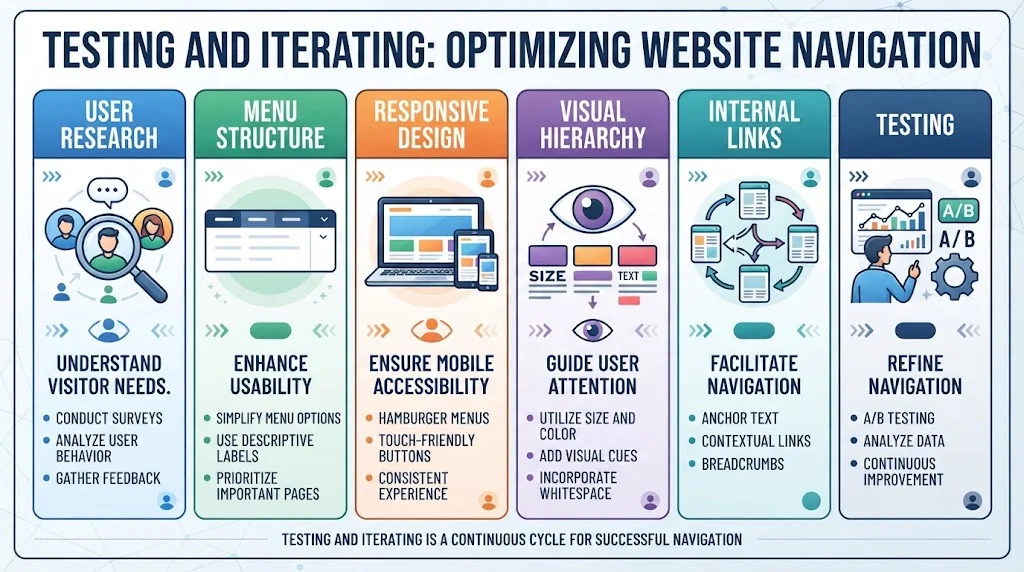
User research helps ensure that your navigation structure meets their expectations. Tools like User Testing can provide insights into how users interact with your website. Their feedback can highlight areas for improvement.
Clear and Concise Menu Structure
Your menu structure should be both simple and self-explanatory. Here are a few tips:
- Limit the Number of Menu Items: Try to keep menu items between five and seven. Too many options can overwhelm users.
- Use Descriptive Labels: Avoid jargon or overly technical terms. Users should understand what to expect when they click a link.
- Prioritize Important Pages: Place your most important pages at the top of the menu to attract attention.
By following these guidelines, you create a menu that is easy for users to navigate while ensuring they don’t miss crucial information.
Implementing Responsive Design
With a growing number of users accessing websites via mobile devices, responsive design is essential. Make sure your navigation adapts seamlessly to different screen sizes. Here are ways to ensure your navigation remains user-friendly across devices:
- Use a Hamburger Menu on Mobile: This allows more space for content while still providing access to navigation.
- Test Touch Targets: Buttons should be easily tappable even on smaller screens, ideally 44×44 pixels.
- Keep Navigation Consistent: The layout and structure should remain uniform across devices.
This not only makes navigation easier but also encourages longer visits, enhancing user engagement.
Enhancing Visual Hierarchy
Visual elements play a strong role in guiding users through your site. Here’s how to create a clear visual hierarchy:
- Utilize Size and Color: Larger fonts or brighter colors can denote importance. Use them to highlight primary navigation links.
- Add Visual Cues: Arrows, icons, or images can help users understand where to click.
- Incorporate Whitespace: Adequate spacing between elements helps reduce cognitive load, making it easier for users to process information.
A well-structured visual hierarchy ensures users can easily discern paths through your website.
Integrating Internal Links
Internal linking facilitates movement within your site, improving user experience and SEO. Consider the following strategies when implementing internal links:
- Anchor Text: Use descriptive text that indicates the link’s content.
- Contextual Links: Embed links within relevant content to offer additional value to readers.
- Breadcrumbs: Provide a trail for users to backtrack easily through your web structure.
This way, users can find related content without feeling lost or frustrated.
Testing and Iterating
Continuously test your navigation design. Use tools like Optimal Workshop for A/B testing different navigation elements. Collect and analyze user data to refine your approach further.
Regularly updating your navigation based on user feedback ensures that it remains intuitive and efficient.
| Strategy | Purpose |
|---|---|
| User Research | Understand visitor needs |
| Menu Structure | Enhance usability |
| Responsive Design | Ensure mobile accessibility |
| Visual Hierarchy | Guide user attention |
| Internal Links | Facilitate navigation |
| Testing | Refine navigation |
Creating intuitive navigation is a continuous process. By focusing on user needs and making informed adjustments, you can significantly enhance engagement and enjoyment while browsing your site. Remember, when users can find what they need easily and efficiently, they’re more likely to return.
Mobile Optimization: Meeting Modern User Expectations
In today’s digital environment, mobile optimization is no longer optional; it’s a necessity. With more people using their smartphones to browse, shop, and interact with content, meeting modern user expectations has never been more crucial. You need a website that works seamlessly across all devices, particularly smartphones. Let’s explore key strategies you can adopt for mobile optimization that will enhance user experience and drive engagement.
Understanding Mobile Users
Before we jump into the strategies, it’s important to understand who your mobile users are. Typically, they desire:
- Quick access to information
- Easy navigation
- Fast loading times
- Responsive design
By knowing what users expect, you can provide a better mobile experience that meets their needs and keeps them on your site longer.
Implementing Responsive Design
Responsive web design is vital for creating mobile-friendly sites. This approach allows your website layout to adapt to various screen sizes. Here are a few advantages of responsive design:
- Improves usability across all devices
- Reduces bounce rates by keeping users engaged
- Boosts SEO as search engines favor mobile-friendly sites
In fact, websites that are responsive typically rank higher on search engines, resulting in increased traffic. Platforms like W3Schools can provide excellent tutorials for building responsive websites.
Focus on Speed
Speed is a crucial component of mobile optimization. Users will abandon a site if it takes too long to load. You can take the following steps to improve speed:
- Optimize images for faster loading
- Minimize HTTP requests
- Use caching solutions
Tools like Google PageSpeed Insights offer valuable tips on how to speed up your mobile site. Remember, a faster site will not only please users but also enhance SEO performance.
Simplify Navigation
Mobile screens are smaller, making navigation more challenging. Simplifying navigation can significantly improve user experience. Here’s how you can do that:
- Utilize a hamburger menu
- Implement clear call-to-action buttons
- Organize content in a user-friendly manner
A streamlined navigation system enables users to find what they’re looking for without feeling overwhelmed.
Content is King
Your content must be optimized for mobile viewing. This means:
- Using shorter paragraphs for better readability
- Employing bullet points for easy digestibility
- Integrating visuals to break up text
Mobile users appreciate concise and engaging content. Keeping your writing clear and to the point can improve retention rates.
Consider Touchscreen Usability
Mobile users interact with websites through touchscreen devices. Consider these tips to make your website more touchscreen-friendly:
- Ensure buttons are large enough to press
- Spacing of links should prevent accidental clicks
- Use vertical scrolling for easier navigation
By designing with touchscreen users in mind, you will improve your site’s overall usability.
Monitor and Analyze Performance
Keep track of your mobile optimization efforts through analytics. Here are a few metrics to focus on:
- Page load times
- Bounce rates
- User engagement levels
Tools such as Google Analytics can provide insights that help optimize your site continually. You’ll be able to see what’s working and what areas need improvement.
By understanding your audience and continuously optimizing your website, you can ensure a smooth and engaging experience for users. This not only meets modern expectations but enhances your search engine visibility, leading to greater success in the digital space. Start implementing these mobile optimization strategies today to create a website that truly resonates with users. Your efforts in Improving User Experience for SEO will lead to increased satisfaction and loyalty.
Content Quality: Balancing SEO Needs with User Needs
Creating high-quality content is an essential aspect of any successful online strategy. Achieving a balance between SEO needs and user needs not only drives traffic but also ensures that visitors find real value in what they read. A blended approach of these two aspects contributes to improved user satisfaction and credible rankings in search engines.
High-quality content resonates with readers, offering them relevant information and insights. To create such content, focus on the following key elements:
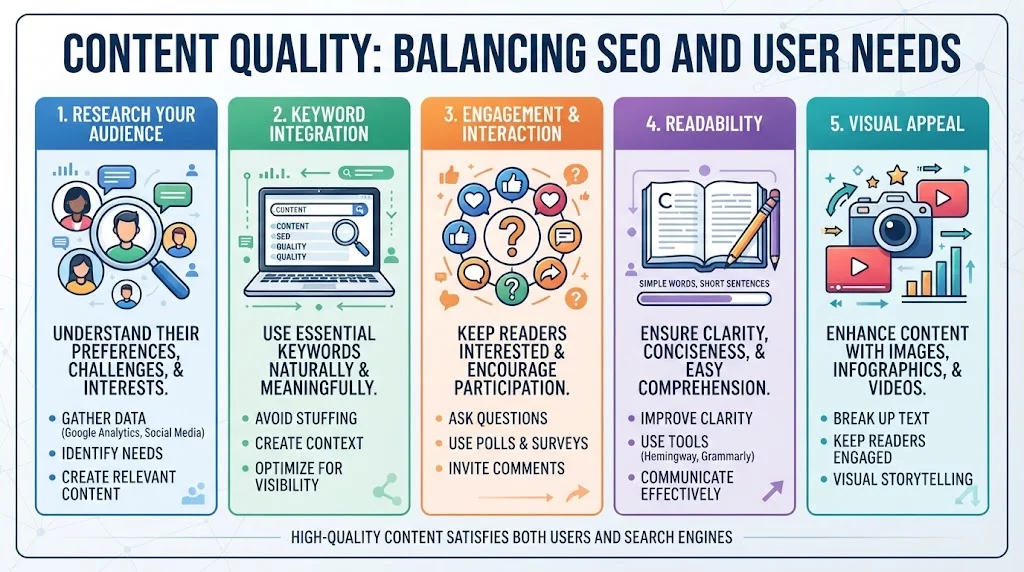
- Research Your Audience: Understanding your audience’s preferences, challenges, and interests is crucial. Use tools like Google Analytics and social media insights to gather data about what your audience is looking for.
- Keyword Integration: Identify keywords that are essential to your topic. Use them naturally throughout your writing. This means not stuffing them but instead creating meaningful sentences that include your target keywords.
- Engagement and Interaction: Aim to make your content interactive by asking questions, using polls, or inviting comments. This level of engagement keeps readers interested and brings them back to your site.
- Readability: Strive for clarity and conciseness. Use short sentences and simple words to communicate your message effectively. Tools like Hemingway or Grammarly can assist in ensuring your content is easy to read.
- Visual Appeal: Use images, infographics, and videos to enhance your content. These elements can break up text and keep readers engaged longer.
SEO tactics also involve important considerations. To effectively integrate SEO practices with high-quality content, consider these guidelines:
- Title Tags and Meta Descriptions: Creating compelling title tags and meta descriptions can significantly impact click-through rates from search engine results. Make sure they accurately represent the content and include relevant keywords.
- Internal Linking: Linking to other relevant pages within your website can provide additional value to your readers while enhancing SEO. It helps search engines understand the structure of your site better.
- Mobile Friendliness: Nowadays, a significant amount of web traffic comes from mobile devices. Ensure that your content is optimized for mobile, providing a seamless experience for all devices.
- Page Load Speed: A key factor in user experience, slow-loading pages can frustrate visitors. Use tools like Google PageSpeed Insights to measure and improve your site’s loading time.
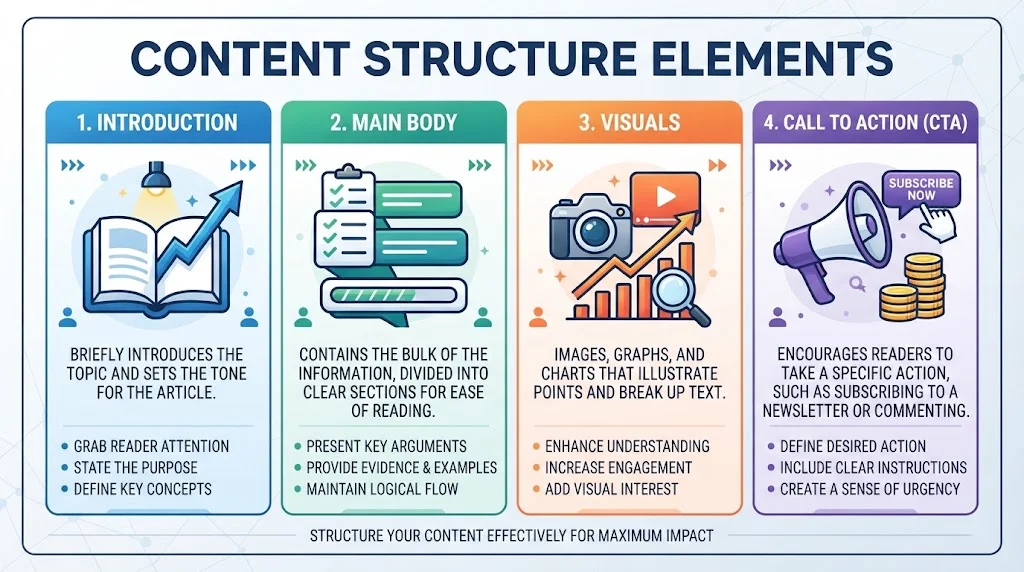
Notably, the way content is structured also plays a vital role. Consider using the following format to create engaging articles:
| Content Structure Element | Description |
|---|---|
| Introduction | Briefly introduces the topic and sets the tone for the article. |
| Main Body | Contains the bulk of the information, divided into clear sections for ease of reading. |
| Visuals | Images, graphs, and charts that illustrate points and break up text. |
| Call to Action | Encourages readers to take a specific action, such as subscribing to a newsletter or commenting. |
It’s also vital to regularly update your content. Search engines favor fresh, relevant information. Review your older content and make adjustments or add new insights to keep everything current. This practice not only satisfies SEO requirements but also shows your audience that you care about providing the best information possible.
In the journey to create high-quality content, remember you are speaking to your readers directly. Each piece should inform, engage, and ultimately assist them in solving their problems. This people-first approach guarantees that your content remains valuable over time.
For further insights on balancing quality content with SEO strategy, explore articles on Search Engine Journal or visit Moz for expert resources and tools.
Conclusion
Improving User Experience for SEO is not just a trend; it’s a necessity in today’s digital landscape. By enhancing user experience, you not only satisfy your visitors but also cater to the algorithms that rank your website. Prioritizing website speed is crucial, as users expect quick load times, which directly impact their satisfaction and engagement. A fast site keeps users from bouncing and encourages them to explore more of what you have to offer.
Creating intuitive navigation is another vital strategy. When users can find information easily, they are more likely to stay longer and engage with your content. Ensuring that your menus and links are straightforward and properly structured will lead to a seamless experience that benefits both users and your SEO.
Mobile optimization cannot be overlooked. With a significant number of users accessing websites through mobile devices, having a responsive design that meets their needs is essential. It’s about delivering a consistent experience across all platforms, ensuring they can easily engage with your content no matter the device.
While optimizing for search engines is important, striking a balance with the quality of content is key. Engaging, useful, and relevant content not only satisfies SEO requirements but also meets the needs of your users. Ultimately, the more you focus on Improving User Experience for SEO, the better your SEO results will be. You’ll foster a loyal audience ready to return, share, and engage with your brand consistently. By adopting these strategies, you set the foundation for a successful online presence that benefits both your users and your search engine rankings.