
Google Business Profile Optimization Guide

ATTENTION: Want to Learn Affiliate Marketing from Successful Affiliates?
Google Business Profile Optimization Guide is essential for any business looking to enhance its online presence, especially for local searches. By implementing effective strategies, you can attract more customers, increase engagement, and improve your visibility on Google. Here are some actionable steps to optimize your Google Business Profile.
Claim and Verify Your Business
The first step is to claim your business on Google. If you haven’t yet, visit Google My Business to start the process. Once claimed, you will need to verify your business. This usually involves receiving a verification code via postcard or phone. Verification is crucial as it establishes your business’s legitimacy.
Complete Your Profile
Completing your business profile is vital. Here’s what to include:
- Business Name: Make sure it matches your branding.
- Address: Provide an accurate physical address.
- Phone Number: Ensure it’s a local number; avoid toll-free numbers.
- Website URL: Link to your official website.
Add Business Categories
Selecting the right categories helps potential customers find your business. Be specific but don’t overdo it. You can choose a primary category that accurately represents your business, along with secondary categories if appropriate. For instance, if you run a bakery, you might select “Bakery” as your primary category and “Café” as a secondary category.
Utilize High-Quality Images
Images are a key aspect of your profile. Businesses with photos receive 42% more requests for directions and are 35% more likely to receive click-throughs to their websites. Use high-quality images that showcase your business, products, and team. Highlight important features like your storefront, interior, products, and services.
Craft a Compelling Business Description
Your business description is your opportunity to engage potential customers. Write a clear and concise description that conveys your business’s unique value. Include relevant keywords naturally in your text to enhance search visibility. Focus on what makes your business special and why customers should choose you over others.
Encourage Customer Reviews
Reviews play a significant role in a customer’s decision-making process. Ask satisfied customers to leave positive reviews. Respond to reviews, both positive and negative, as this demonstrates engagement and helps build trust. You can easily manage customer feedback through your Google Business Profile.
Post Updates Regularly
Keep your profile fresh by posting updates. Google allows businesses to share news, offers, and events. Regularly adding posts about special promotions, new products, or important announcements can help keep your audience engaged. Sharing fresh content can also boost your rankings in local search results.
Q&A Section
Utilize the Q&A feature of Google Business Profile. You can anticipate common customer questions and provide clear answers. This proactive approach not only helps in providing valuable information but also enhances customer interactions.
Monitor Insights
Google provides valuable insights into how customers interact with your profile. Keep an eye on metrics such as search impressions, clicks, and calls. By analyzing this data, you can understand what works and where to improve your profile effectively. Leverage this information to refine your marketing strategies or adjust your offerings according to customer preferences.
Implement Local SEO Practices
Local SEO techniques can further enhance your Google Business Profile’s visibility. Make sure your Name, Address, and Phone Number (NAP) are consistent across all platforms. Use localized keywords in your posts and descriptions. This helps Google categorize your business better, making it easier for local customers to find you.
Adhering to these optimization strategies can dramatically improve your Google Business Profile. Engaging with your audience and keeping your information up-to-date not only drives traffic but also builds brand credibility and authority.
The Importance of Customer Reviews in Your Google Profile
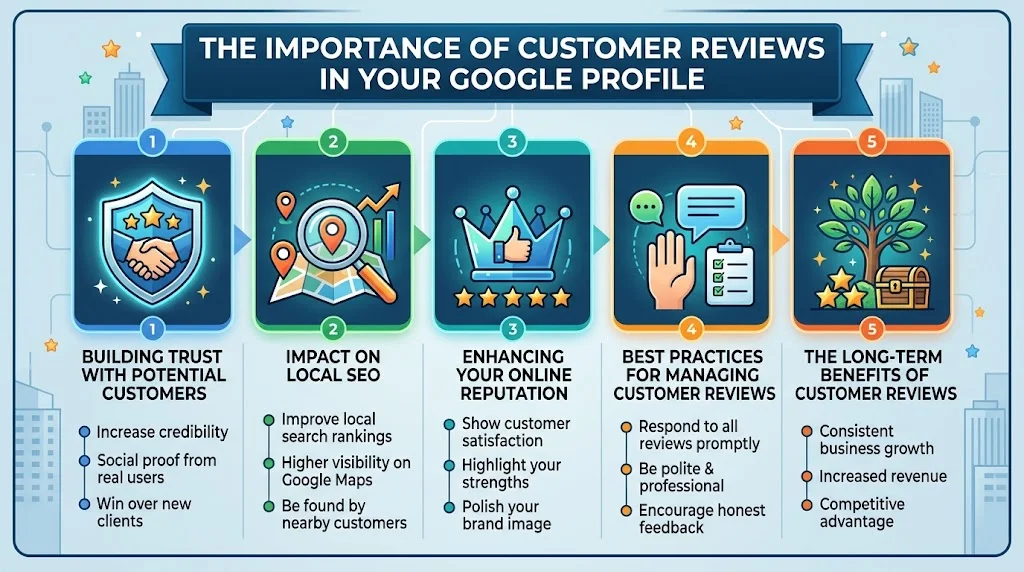
Customer reviews play a crucial role in shaping your business’s online presence, particularly on your Google Business Profile. They not only provide valuable feedback but also influence potential customers’ decisions. Understanding the importance of these reviews can significantly improve your business’s visibility and reputation.
Building Trust with Potential Customers
Trust is a cornerstone of any business. When potential customers see positive reviews on your Google Business Profile, they are more likely to trust your business. Here’s why:
- Social Proof: Customers tend to look for reassurance through other buyers’ experiences. Authentic reviews act as social proof that your business delivers quality products or services.
- Credibility: A profile with a good number of positive reviews enhances credibility. It signals that your business is reliable and well-regarded in your industry.
- Better Engagement: Interacting with customers’ reviews shows that you care about their feedback, further building trust and encouraging more reviews.
Impact on Local SEO
Customer reviews are vital for local SEO strategies, helping to improve your ranking in search results. Here are some key points to consider:
- Keyword Relevance: When customers leave reviews, they often use relevant keywords. This can indirectly enhance your business profile with the terms that potential customers are searching for.
- Review Quantity and Quality: Google considers both the number of reviews and their quality when determining rankings. More and better reviews can lead to higher visibility on Google Maps and local search results.
- Customer Engagement Metrics: Your response rate to reviews and the frequency of new reviews can also signal to Google how active and engaging your business is.
Enhancing Your Online Reputation
Your Google Business Profile reflects your brand image. Here’s how reviews shape it:
- Feedback Loop: Customer feedback helps you understand what you are doing well and what areas need improvement. Addressing concerns can turn negative reviews into positive experiences.
- Reputation Management: Actively managing your reviews shows that you value customer input. This can lead to improved reviews over time, positively impacting your business’s reputation.
- Brand Differentiation: In a crowded marketplace, reviews help differentiate your business from competitors. Customers are more likely to choose a business that has favorable reviews over one that has few or none.
Best Practices for Managing Customer Reviews
To make the most of customer reviews, consider these best practices:
- Encourage Reviews: After a purchase, invite customers to share their experience. This can be done through follow-up emails or during face-to-face interactions.
- Respond to All Reviews: Whether positive or negative, responding shows that you value customer feedback. Thank those who leave positive reviews and address concerns for those who leave negative ones.
- Monitor Feedback: Use tools to keep track of reviews across various platforms, including Google and social media. This allows you to stay on top of customer sentiments.
- Showcase Reviews: Highlighting reviews on your website or social media amplifies positive feedback and attracts new customers.
The Long-Term Benefits of Customer Reviews
Investing time into managing your customer reviews leads to many long-term benefits:
| Benefit | Description |
|---|---|
| Increased Visibility | Improved search rankings due to a higher number of quality reviews. |
| Higher Conversion Rates | Positive reviews increase the likelihood of purchase decisions by potential customers. |
| Customer Retention | Engaging with customers through their reviews fosters loyalty and repeat business. |
Customer reviews are not merely a convenience; they are an essential component of your Google Business Profile Optimization Guide. For more detailed insights on managing your online presence, check out resources like BrightLocal and ReviewTrackers.
Your digital footprint matters. Take charge of your Google Business Profile, leverage customer reviews, and watch your business flourish.
How to Utilize Posts and Updates on Google Business Profile
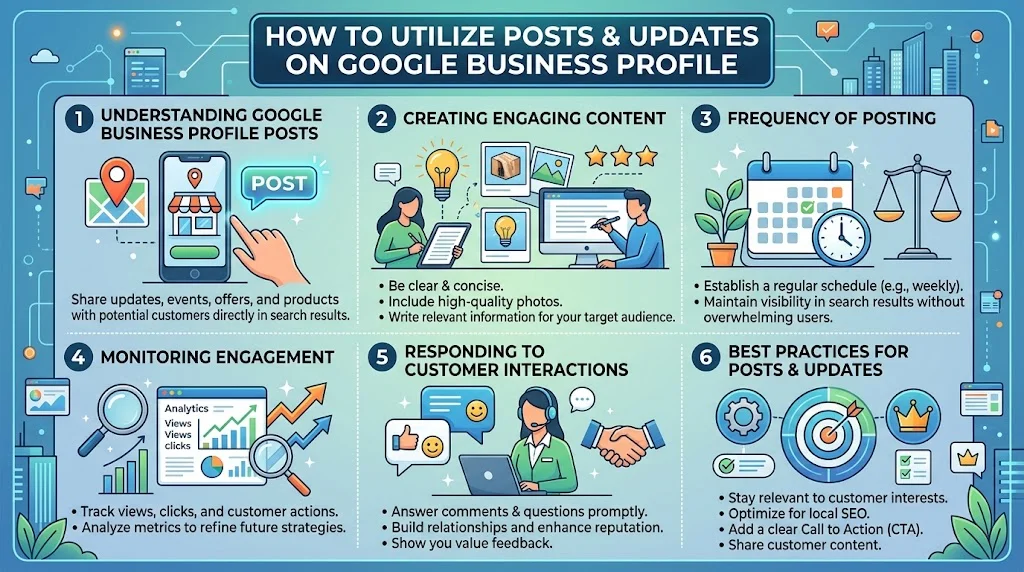
In today’s digital age, leveraging your Google Business Profile is essential for any business looking to stand out online. By utilizing posts and updates effectively, you can engage your audience, promote your services, and provide valuable information. Here, we’ll explore how to maximize these features and drive more interaction with your customers.
Understanding Google Business Profile Posts
Google Business Profile posts are a powerful tool for local businesses. They allow you to share updates, promotions, events, and offers directly on your business profile. This engagement can enhance your visibility in search results and attract new customers. Here are the primary types of posts you can utilize:
- Updates: Share important news, such as changes in operating hours or new services offered.
- Events: Promote upcoming events that you are hosting or attending.
- Offers: Highlight special deals or discounts to entice potential customers.
- Products: Showcase new products to keep your audience informed about your inventory.
Creating Engaging Content
Your content should be informative, engaging, and relevant. Here are some tips for creating effective posts:
- Be Clear and Concise: Use simple language and short sentences. Aim to communicate your message quickly.
- Use Images: Incorporate high-quality images to grab attention. Visual content can increase user engagement.
- Add a Call to Action: Encourage readers to take action, such as “Book Now,” “Learn More,” or “Sign Up.”
When you post, always think about what your audience finds valuable. The more relevant and interesting your content, the more likely users will engage. Use your posts not just to inform, but also to connect with your audience on a personal level.
Frequency of Posting
To maximize your Google Business Profile’s effectiveness, establish a regular posting schedule. Posting weekly or bi-weekly can keep your profile active, helping maintain visibility in search results. It’s important to strike a balance; too many posts can overwhelm users, while too few can lead to disengagement.
Consider using a content calendar to plan your posts. This way, you can ensure a variety of content types and stay consistent with updates.
Monitoring Engagement
Engagement metrics help you understand how your audience interacts with your posts. Track metrics such as:
- Views: How many times your post has been seen?
- Clicks: How many users clicked on your call to action?
- Customer Actions: What actions did users take after engaging with your post?
Analyzing these metrics helps refine your future posts, ensuring you continually meet your audience’s needs. Adjust your strategies based on what the data tells you. For guidance on interpreting Google My Business insights, check out Google’s support page.
Responding to Customer Interactions
Another essential aspect of managing your Google Business Profile is responding to customer interactions. When users comment on your posts or ask questions, respond promptly. This demonstrates that you value customer engagement and are willing to provide support.
Engaging with comments can lead to a stronger relationship with your audience. Plus, it can enhance your reputation as a responsive and customer-friendly business.
Best Practices for Posts and Updates
| Best Practice | Description |
|---|---|
| Stay Relevant | Ensure your content aligns with customer interests and current trends. |
| Optimize for SEO | Use keywords related to your business in posts to enhance visibility. |
| Share User-Generated Content | Encourage satisfied customers to share their experiences and feature them in your posts. |
By following these tips and best practices, you can optimize your Google Business Profile effectively. Not only will your business gain better visibility, but you’ll also build a community of engaged customers. For further optimization techniques, consider visiting BrightLocal for additional insights into enhancing your local SEO tactics.
Remember, your Google Business Profile is more than just a listing; it’s a platform to connect with your customers and grow your brand online. Each post you make is an opportunity to tell your story and showcase what makes your business unique.
The Role of Images and Visual Content in Profile Engagement
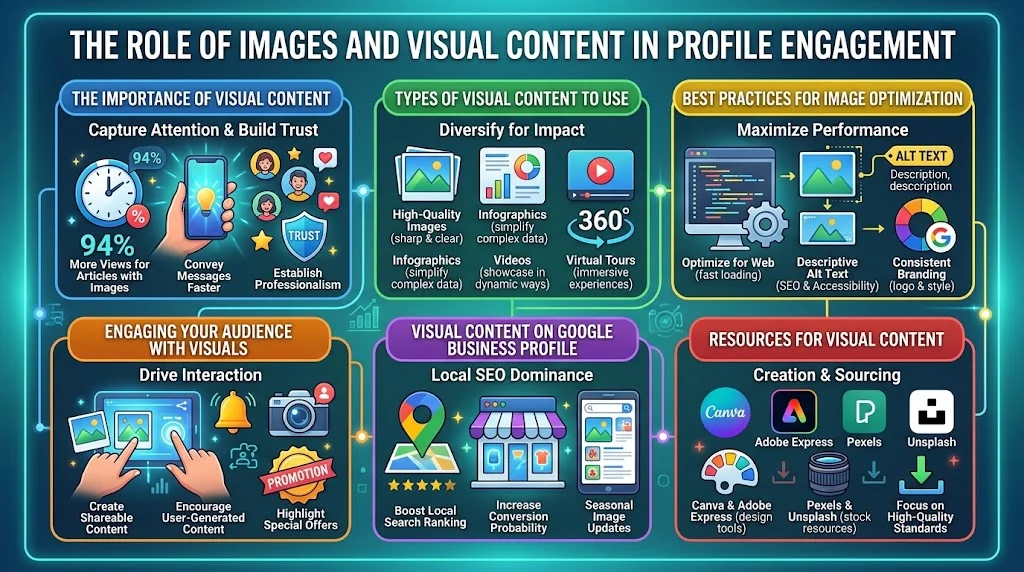
Images and visual content play a significant role in engaging customers on various platforms. In an era where attention spans are shrinking, the power of effective visuals cannot be overstated. When optimizing your Google Business Profile, incorporating visually impactful elements becomes essential for attracting and retaining potential customers.
The Importance of Visual Content
Visual content, including images and videos, can convey messages quickly and powerfully. In fact, studies show that people remember only 10% of the information they hear three days later, but they remember 65% of the information when paired with a relevant image. This highlights the significance of visuals in capturing attention and enhancing user experience.
Types of Visual Content to Use
When optimizing your Google Business Profile, consider these various types of visual content:
- High-Quality Images: Use sharp and clear photos of your products, services, and the business itself. High-resolution images help establish professionalism and trust.
- Infographics: Infographics can simplify complex information, making it easier for visitors to understand your services or benefits.
- Videos: Short promotional videos can vividly showcase what your business offers, providing a richer context than static images alone.
- Virtual Tours: Offering a 360-degree view of your premises can create an immersive experience for potential customers and give them confidence in your business.
Best Practices for Image Optimization
To ensure your images serve their purpose effectively, adhere to the following best practices:
- Size Matters: Always use images that are optimized for web use. Large files can slow down your site loading times, which negatively impacts user experience.
- Alt Text: Utilize descriptive alt text to improve accessibility and enhance SEO. This can help your images rank better in search results.
- Branding Elements: Include subtle branding elements within images, such as your logo, to create a cohesive brand identity.
When visual content is used wisely, it can boost user engagement by as much as 94%. Therefore, incorporating images that align with your brand can significantly enhance customer interaction and drive higher conversion rates.
Engaging Your Audience with Visuals
Functional visuals can encourage user interaction. You can increase engagement on your Google Business Profile by:
- Creating Shareable Content: Use visuals that are eye-catching and relatable. Engaging images or infographics are more likely to be shared by users, widening your reach.
- Encouraging Customer Contributions: Seek user-generated content where customers share photos of your products or experiences. This fosters a sense of community and promotes authenticity.
- Highlighting Offers and Promotions: Use visuals to display current offers or promotions clearly. Attractive graphics can draw attention to these important marketing messages.
Visual Content on Google Business Profile
Visuals in your Google Business Profile not only make it more attractive but also enhance local SEO. By keeping your profile updated with fresh images, you can improve your visibility in local searches. The likelihood of conversion increases when users have a clear understanding of what they can expect. Ensure you focus on these key areas:
- Showcase your most popular products, ensuring that your best offerings are easily visible.
- Update your images regularly to reflect seasonal changes or new arrivals.
- Use visuals that evoke emotions, as people are drawn to visuals that resonate on a personal level.
Resources for Visual Content
For more insights and tips on creating effective visual content, consider exploring:
- Canva – for designing stunning graphics easily.
- Pexels – offers free high-quality images for commercial use.
- Adobe Express – allows you to create professional levels of visual content without the advanced skills of graphic design.
Rich visual content into your Google Business Profile is not just about aesthetics; it is about building a connection with potential customers. When optimized correctly, visuals can lead to increased engagement and help your business stand out in a crowded marketplace.
Analyzing Insights: Measuring Success on Your Google Business Profile
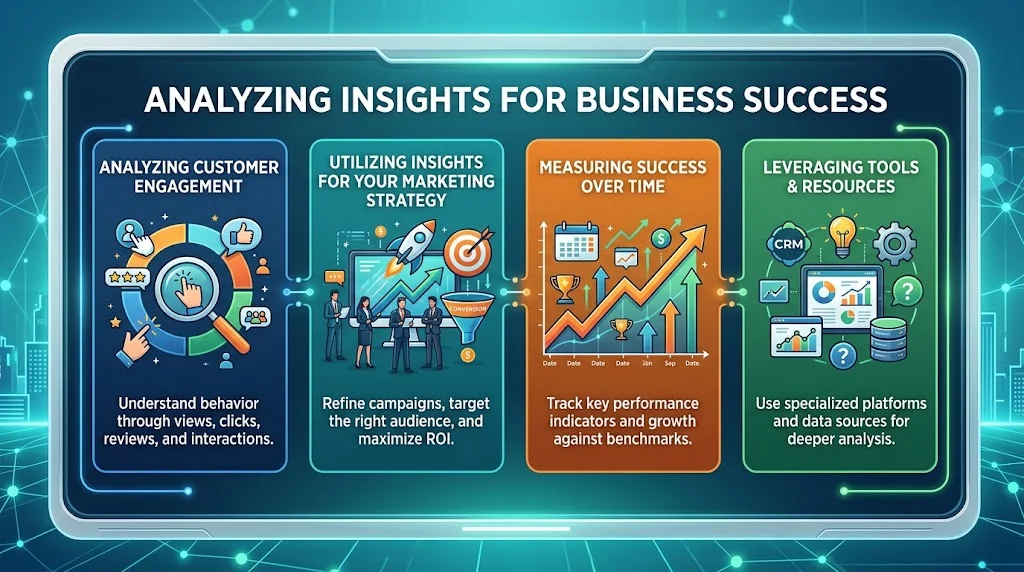
Measuring success on your Google Business Profile is essential for understanding how well your business is performing online. By analyzing insights from this powerful platform, you can make informed decisions that help you engage with your audience and improve your visibility. Google provides a wealth of data that reveals how customers interact with your profile, including number of views, clicks, and calls. Here are some key metrics you should pay attention to:
Key Metrics to Monitor
- Search Impressions: This metric tells you how often your business profile appeared in Google Search results. A higher number of impressions usually indicates that your profile is drawing attention.
- Customer Actions: This includes actions like visiting your website, calling your business, or requesting directions. Tracking these can reveal which actions are most effective in driving engagement.
- User Engagement: Look at how customers engage with your posts and photos. Analyzing likes, shares, and comments can provide insight into what content resonates with your audience.
- Reviews and Ratings: Monitor the reviews you receive. Positive feedback enhances your reputation, while negative reviews can help you identify areas for improvement.
Analyzing Customer Engagement
You can dive deeper into customer engagement by utilizing the insights tab within your Google Business Profile. Here, you’ll find valuable data on how customers are discovering your business and what they do after finding it. For instance:
- Direct Searches: Customers who search for your business by name.
- Indirect Searches: Customers who search for a category, product, or service instead of your business name.
- Discover Searches: Customers who find your business through related searches or on Google Maps.
Using this information, you can tailor your marketing strategy to focus on areas where you need improvement. For example, if you notice a significant number of indirect searches, consider optimizing your business description with relevant keywords to increase visibility.
Utilizing Insights for Your Marketing Strategy
To effectively utilize these insights, it helps to set clear marketing goals. Are you aiming for more calls, website visits, or foot traffic? Once you pinpoint your objective, you can refine your Google Business Profile accordingly. Here’s a quick guide on some strategies you can implement:
- Optimize Your Profile: Add complete information, high-quality images, and relevant categories to make your profile appealing.
- Engage With Customers: Respond to reviews and questions promptly. This engagement can encourage more customers to leave positive feedback.
- Update Regularly: Keep your posts fresh and informative. Regular updates can keep customers informed about promotions or events.
Measuring Success Over Time
Consistency is key when it comes to measuring the success of your Google Business Profile. Regularly check your insights to spot trends and seasonal variations in customer behavior. This allows you to adapt your strategy when needed. Try comparing data over different months to understand patterns.
| Month | Search Impressions | Customer Actions |
|---|---|---|
| January | 1,200 | 150 |
| February | 1,500 | 200 |
| March | 1,800 | 300 |
This table showcases how monitoring your metrics over time can reveal improvements. Notice how search impressions and customer actions increased? Such findings can help you assess the impact of your marketing strategies effectively.
Leveraging Tools and Resources
Several tools can assist you in analyzing your Google Business Profile’s success. Tools like Google My Business provide in-depth insights, while platforms such as SEMrush can offer additional analytics and optimization suggestions.
Measuring success on your Google Business Profile involves more than just looking at the numbers. It’s about understanding what they mean for your business and how to leverage them to foster better customer relationships and increase visibility. Stay proactive and continually refine your profile based on the insights you gather.
Conclusion
By implementing effective strategies for optimizing your Google Business Profile, you can significantly enhance your online presence. Remember, this starts with ensuring your business information is accurate and up-to-date. Engaging with customer reviews is crucial, as they not only improve your credibility but also provide valuable feedback to enhance your services. Encourage satisfied customers to leave reviews, and make sure to respond to both positive and negative feedback to show your commitment to customer satisfaction.
Utilizing posts and updates on your profile keeps your audience informed about promotions, events, or news related to your business. This timely communication helps to foster a connection with potential customers and encourages them to engage further with your services. Don’t underestimate the power of visual content; high-quality images can attract more visitors to your profile, showcasing your products or services in a compelling way.
Regularly analyzing insights from your Google Business Profile will help you measure your success. By understanding metrics such as views, clicks, and customer actions, you can adjust your strategies accordingly. This data-driven approach ensures you are continually refining your methods to engage your audience effectively.
Optimizing your Google Business Profile is an ongoing process that can yield significant rewards. By focusing on customer engagement through reviews, timely updates, visual content, and data analysis, you’re not only enhancing your business visibility online but also creating a stronger connection with your audience. Follow these strategies, and watch your business thrive in the digital landscape.